A script to throw away all but the first picture would help but I am a computer novice. I did run the script to add “United States” item specific to every listing and it was great.
Without 1 picture at least the listing is worthless to me.
1 Like
Yeah, I saw your reply after I typed mine. A script would be needed, as that option in the Listings menu will delete every image from the listing.
I’ll see if I can come up with something in the next couple of days. I need to make that other script too, the one for creating a pick list in Reminders on my phone.
1 Like
I made a script for this very purpose last September and uploaded it to the GarageSale Scripts section of the user forum. You can find it here: AppleScript to Remove All Images Except First Image
When you run the script, it applies to all of the listings that you have selected—in other words you can apply it to individual listings or entire groups of listings.
3 Likes
Can you pint point sudden jumps in memory usage to a certain action in GarageSale?
I recall that image processing libraries provided by the macOS leak memory on older version of the operating system, but I might be wrong, or the memory leak has an entirely different source.
1 Like
I don’t see a time when it jumps. Last night I did a restart it was 150mb and 7 hours later it is running at 294mb. I have scheduled listing go up overnight. It will go up with normal usage during the day the most. I have been watching the activity monitor regularly and it just suddenly will double when making listings… adding pics, editing, ect. I will report back during the day after I see the biggest jumps
I tried it and got a syntax error. What did I do wrong? I also put the exact “GarageSale 9.9.5b5” name in and got the same result. I asked GROK to fix it and got the same result after changes.
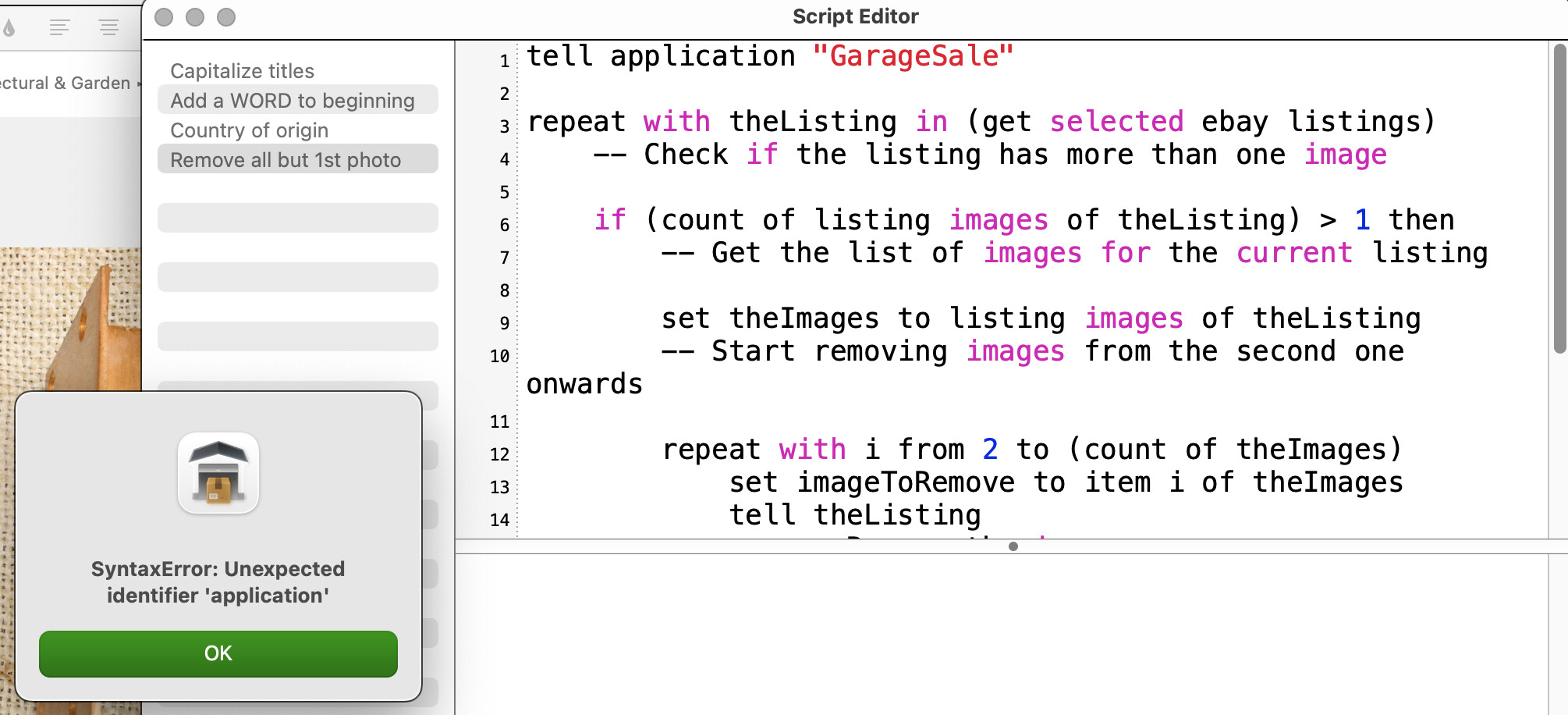
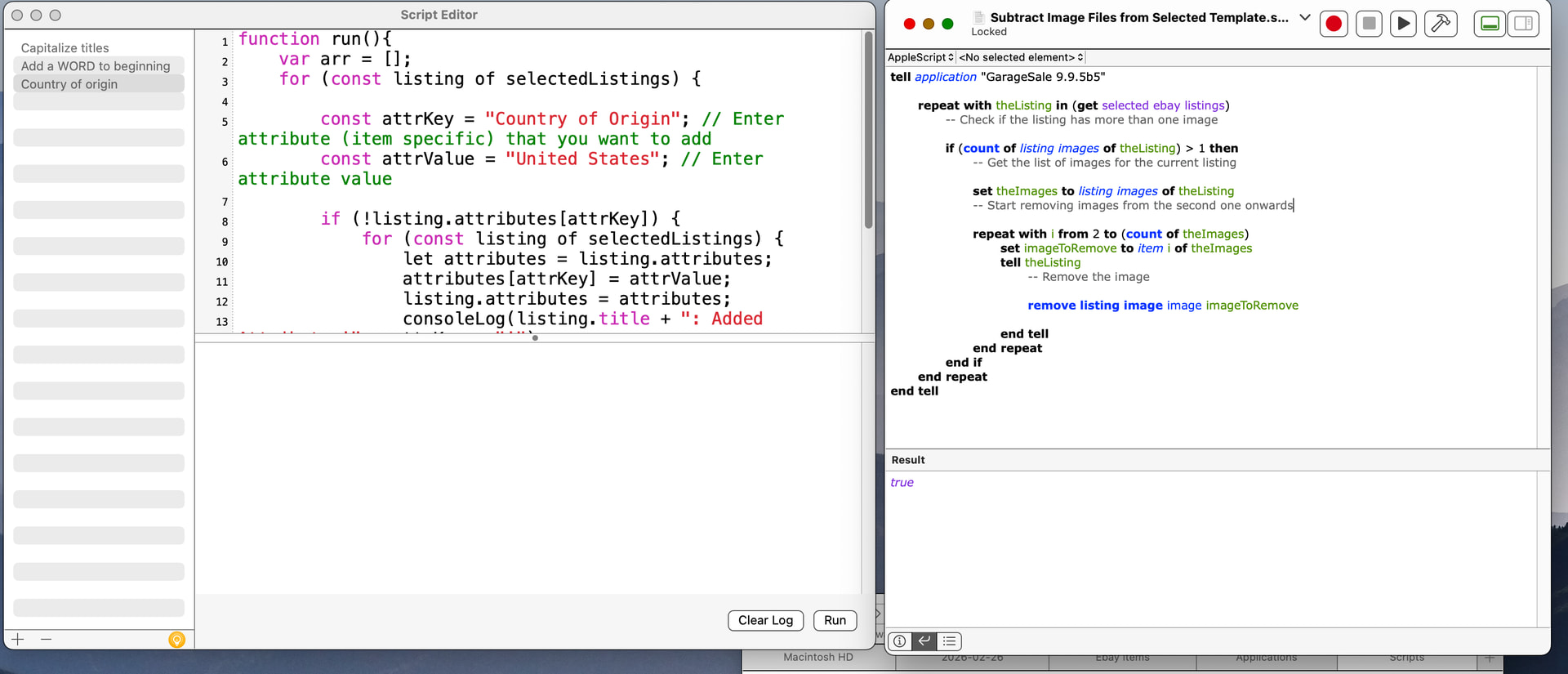
It looks like you’re trying to run it via the Window/Show Script Editor Window within GarageSale. Instead, try saving the script as a file ending in .scpt and save it where it’s convenient. When you click on it, it should launch Apple’s Script Editor located within the Utilities folder of Applications. I just checked to be sure and it is working fine for me that way.
Only other thing I can think of is to check and make sure your GarageSale application has not been renamed in any way, e.g. ‘GarageSale 2’ after downloading a newer version as I think the name must match exactly within the script. Hope that helps!
Thanks! It works great now that I got it in the right place. I am 1 step below novice. I have been using a computer since 1986 but as a user not a programmer. I still don’t know when people are talking java scripts or apple scripts. Thanks for the help!
Regarding using an older system - I noticed this eBay listing for a 2015 11” MacBook Air with the 2.2ghz Core i7 [same as I have]. The storage is removable [mine came with 1TB, and I upgraded it to 2TB], but maxed out at 8GB of memory. This listing shows that yes, it can run macOS 15 Sequoia using OCLP - OpenCore Legacy Patcher. It even comes pre-installed by this seller. So for those who are “stuck” on older Macs, do give OCLP a try - it is much cheaper [it’s free!] than buying a replacement Mac.
Apple MacBook Air 11" 2015 A1465 i7 2.2GHz 8GB RAM 512GB OCLP Sequoia | eBay [this is not my listing - just one I found as I keep a search for these Core i7 Airs open - they work great with an external monitor and are truly the most portable macOS system made].
That’s a great point about older systems. I’m pretty thrifty and often tend to try to wring a couple extra years out of my Macs. Lots of first-hand experience with Sequoia on OCLP for various Intel-era Macs running GarageSale. I’ve found GarageSale to work exceptionally well on old Macs, although OCLP does require considerable babysitting, especially involving the installation of root patches after a MacOS software update has occurred. Overall, I’ve found it to be worth the time involved, especially when the older Mac has lots of RAM and a reasonably fast processor.
Related to this, I made a post a couple of years ago and Ilja, one of GarageSale’s developers had an excellent response detailing what hardware factors are most relevant to GarageSale performance. He basically said it comes down to RAM (more is better) and single-core chip speed. That information was really helpful, as it validates the cost savings of using slightly older or entry-level Macs, as the multi-core processing advantages that cost lots of extra money on higher-end Macs turn out not to be all that relevant to achieving snappy GarageSale performance. That post was here: Question on Apple Silicon, best bet for large (138GB) GarageSale Library - #3 by ilja
1 Like
It seems to make the biggest jumps when I am not using GS. I am doing something else on a different program or away from the computer for 6 hours and I check it and it is running 2 or 3 GB. Photos program keeps chewing up ram so I keep it off when not in use.
I just hit QUIT and restart it one time a day and all is well in the world.
That’s good to know that the required specs aren’t too hefty. I ran GS on a system just like the eBay listing, up until mid 2023. I was not active in the forums back then and was spreading myself too thin with multiple marketplaces [I still sell on multiple marketplaces, just not as many]. But GS never gave me slowdowns except once in a blue moon. I think optimizing workflow, keeping image file size reduced, and only running what one needs to run when in heads-down work mode, helps keep GS going smoothly.
I did not know that GS doesn’t take advantage of multi-core systems - I wonder if that is something that will change, as that could make a huge difference in performance [but also take up a lot of time developing].
I still have PPC Macs running different things [loaded with NetBSD, and one with Linux]. Apple makes some impressive hardware that can still be functional today; biggest hang up is power draw with certain older systems.
I really don’t want to give up on my 2015 iMac. I looked at a replacement for what I have and it is $5-6,000 to get a 2026 iMac or a Mac mini with a 27” screen and speed and ram I have in my 2015. My wife’s new 2025 iMac has an 8 core and GS won’t utilize the core difference so I keep running what I have.
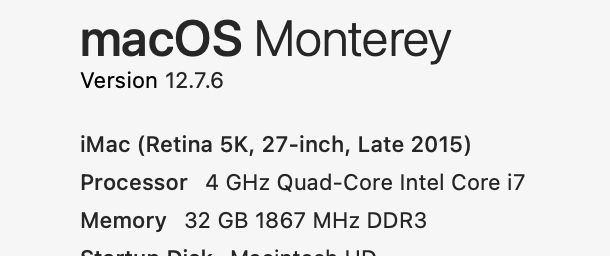
Yeah, that’s a good system. And with OCLP you can run macOS 13, 14, or 15 or 26[?] if you want.  No need to upgrade Macs when that one will do just fine! Core i7s are powerful - they use more power than Apple Silicon, but they are very capable machines and can easily run macOS 15 [I believe macOS 27 will be the last macOS to support Intel CPUs]
Your iMac 17,1 can use Legacy Metal. Legacy Metal Graphics Support and macOS Ventura - Sequoia · Issue #1008 · dortania/OpenCore-Legacy-Patcher · GitHub shows some of the issues with certain models of Macs that use Legacy Metal.
The biggest hang up for me is these machines wear out the fusion drives. I have 2 of these identical and one trashed 2 fusion drives(apple won’t fix) and the second is still running after it trashed the first one. It is due to enter the dust bin of history anytime and Apple wont fix them. I found Ifixit has a SSD setup I can put in it but just all the cables, brackets, ect are available and disk is currently unavailable
SSD [and HD] prices have skyrocketed but yeah, if there’s any way to upgrade to just a straight SSD, that would get rid of that worry for you!
@rlmartin The single core benchmarks for the new MacBook Neo are better than the M1 MacBook Air. It is more inline with an M3/M4 CPU as far as single core benchmarks are concerned. And for $499-$699, a good deal, IMO. For your use, you’d need an external display to hook up to it, though I think 2015 iMacs can be used in target mode [meaning you can use your iMac as a display only]. But there may be issues using an Apple Silicon system as the host on an Intel iMac. Anyway, thought of you when I saw this article:
there is a non apple 3rd party dongle and app that will run a 2015 as a monitor… supposedly… even if the drive is shot. It might be something I try and get a Mac mini too as it is upgradable and reparable