The idea behind this AppleScript is to store commonly used phrases that you might use for eBay selling.
The Applescript displays a list of items, with each selection placing given text on the clipboard for pasting.
In this example L + W + H + W places the following text on the clipboard which you can then past into a listings in which you want to enter these values. This saves having to type it over and over again or having to save a infrequently used GS template with it already entered into the description area.
Length =
Width =
Height =
Weight =
The “N/A” selection will copy “N/A” to the clipboard for pasting into item attributes that I do not want to fill out. I’ve taken care of most of these by using templates with the most commonly shared ones already added with “N/A”, but some infrequent categories I may list in may have additional required attributes that I have to add and thus this allows me to quickly paste “N/A” into the attributes.
The “Thank You” selection copies the generic a feedback comment “Thank You For Your Purchase - It’s Appreciated!” to the clipboard for pasting onto eBay.
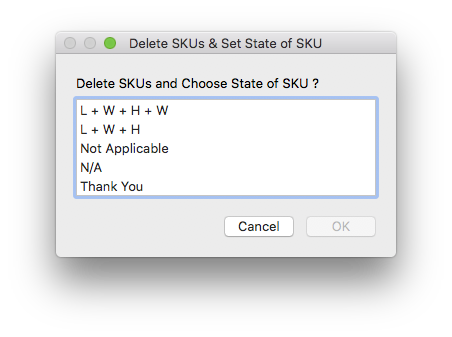
set AnswerList to {"L + W + H + W", "L + W + H", "Not Applicable", "N/A", "Thank You"}

set theAnswer to choose from list AnswerList with title "Delete SKUs & Set State of SKU" with prompt "Delete SKUs and Choose State of SKU ?"

if theAnswer is not false then --User Did Not Cancel

	if item 1 of theAnswer is "L + W + H + W" then --

		set the clipboard to "Length = " & return & "Width = " & return & "Height = " & return & "Weight = "

	else if item 1 of theAnswer is "L + W + H" then --

		set the clipboard to "Length = " & return & "Width = " & return & "Height = "

	else if item 1 of theAnswer is "Not Applicable" then --

		set the clipboard to "Not Applicable"

	else if item 1 of theAnswer is "N/A" then --

		set the clipboard to "N/A"

	else if item 1 of theAnswer is "Thank You" then --

		set the clipboard to "Thank You For Your Purchase - It's Appreciated!"

	end if

end if