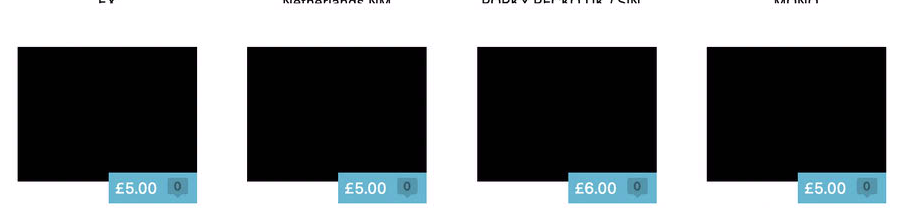
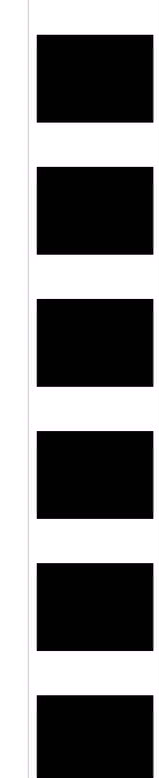
For some reason maybe half of my thumbnails when in grid view come up as just black placeholders. In the draft listings themselves the images are there, and when a listing is launched they are all on the live listing correctly on ebay itself. I do listing in mass batches so they are all the same kind of image files added in the same session, there’s no rhyme or reason as to which will come out like this.
I’ve noticed if I go into the html view of a listing (where the images are vertically aligned in the UI), and then double click on one of the black thumbnails (edit image), the real image will show up to edit , if I then close that image edit window with no changes the thumbnail then corrects itself…this leads me to think it’s a bug? It’s very obvious though so I’m surprised this hasn’t been reported on here.
This is happening on 10, and now 10.1 on an M4 Imac. I thought this maybe was an OS/app version issue, so updated to OS27 but it still happens randomly on new one’s added.
I’ve just launched around 100 auctions, and I’d say half are like this in the app. The attached screenshots show live listings and the section I can get the real thumbnail to show by clicking in and out of image edit.
I have a laptop with garagesale 9 still on, which has never had this problem, so this seems to be a 10 issue ?
These images for the image overview mode are “thumbnails” of the original images. My guess is that these thumbnail images have been re-created during the upgrade to GarageSale 10 but something seemed to have gone wrong.
If so, there might be an easy fix. Please try this:
Open GarageSale and from the Help menu select Open Library Folder.
Quit GarageSale.
Inside the GarageSale library folder in Finder you should find a folder called “ImageThumbnailLibrary”.
Check some of the images stored there. Are they all black?
If yes, delete the entire folder “ImageThumbnailLibrary”.
Start GarageSale again. It should now re-create the thumbnail images and hopefully they now look fine.
sorry forgot to say, I only updated from 10 to 10.1, the listings were done on 10 and this happened on the fresh install/first listings ever made on 10, there was never an upgrade from 9 on the computer. These were the first and only listings ever made on the app.
I just checked the thumbnail folder, it had both black and correct thumbnails inside just like in the app, even after quitting the app, deleting the folder, opening the app they still appear as a mixture of black and correct thumbnails, the thumnbnail folder appears again and is again just a mixture of black and correct one’s
also to clarify, all images are normal iphone camera images, all taken at the same time, all copied to the imac at the same time, and then added at the same time view drag/drop onto the listing.
I can replicate the same method with same pics on my version 9 macbook and this doesn’t happen.
I will do some test bulk drafts to see if this continues. I also have another mac I can install a fresh copy on to to check if this is isolated to the imac..
I’ll check, I’ll do more troubleshooting today including trying the same images on a fresh install on a mac that has never had garagesale on and report back. It’s clearly something my end if this isn’t happening for anyone else..