I have had a few errors uploading listings there last few days, a listing will upload even though it says error, the listings colour in GS is clear as a prepared listing still even though it is live on eBay. I then have to import the live one from eBay. This happened to an already live variation listing when I revised it and now when I import the live version all the variations have gone, the listing is live, but all that work is gone. How can I import these please?
I find this happening often when I’ve selected a bunch of running listings, stopped them, edited them and re-listed.
It seems to be due to a random eBay server error (even when I use my own image servers for pictures), and it’s super annoying. The error appears to occur when the server sends a warning or error back, but goes on to complete the listing anyway (why would they do that?)
When it happens to me, I manually find the listing on eBay (by title search in my Seller’s Active view) and manually end it there using the eBay web interface. Then I re-launch it from my end. Otherwise, I can get duplicates or “disconnected” duplicate listings, especially for fixed-price ones that renew on eBay automatically.
YMMV. I realize this costs me nothing but irritation, because of my Store subscription.
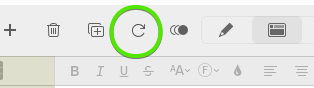
I have a very slow DSL connection and sometimes I will notice randomly that a listing is not shown as live in GS - the color is not blue. That’s the main time I use the Live tab to confirm that the listing is live. Going back to preview, I will hit the refresh/reload icon on the toolbar and that usually restores the proper color to the listing. So you may want to try the reload/refresh button next time so as to save you from having to delete/import etc.
I have a very slow DSL connection and sometimes I will notice randomly that a listing is not shown as live in GS - the color is not blue. That’s the main time I use the Live tab to confirm that the listing is live. Going back to preview, I will hit the refresh/reload icon on the toolbar and that usually restores the proper color to the listing. So you may want to try the reload/refresh button next time so as to save you from having to delete/import etc.
Thank you for your reply also I will next time use that refresh button.
I still do not know how to re-import the variation listing - this is the one causing the problem - I had sent a lot of time creating it - I revised it and the the revised came up with an error - my original live Blue listing was gone replaced by a clear one. I re-imported the listing and the variations have gone. All that work gone. To date I have never been able to import a variation listing - it just imports a version with no variation contents.