Last week I updated to GarageSale 9.9.5 on macOS 15.4.1, and also refreshed my eBay access token around the same time.
Now whenever I try to click on an existing listing template for which no category has been set yet, the UI always gets stuck on “Generating Preview…”. This happens primarily with my unstarted listings, but also with some of my existing running listings. If I click on a running listing and then back to the unlisted one, sometimes that fixes the problem temporarily, but only if I have first set a category on the unlisted template via the Options tab. If no category has been set on a template, it is never able to get past the “Generating Preview” step.
If I instead create a totally new template (not copied from any existing one) it opens immediately with no problem. But I have several placeholder templates which I’ve successfully duplicated for years to create new listings when needed. Now it’s very difficult to open these because of this bug, and as mentioned above the same issue is also affecting some of my running listings.
I’m not looking forward to trashing and recreating all of my listing templates from scratch, so I’m wondering if there is another solution?
Try removing and then re-adding your eBay token in the GarageSale preferences > Accounts.
If this still won’t help, please give this another try:
• Quit GarageSale if running.
• Open the macOS “Keychain Access” application and enter “GarageSale eBay Account” in the search field. (If you don’t find anything try it with “ebay token”.)
• Right-click on the eBay account token in the Keychain and select “Delete”.
• If done, restart your Mac, start GarageSale and add/refresh your eBay access tokens in the GarageSale preferences > Accounts.
I tried those additional steps, but the problem is still occurring. It seems to affect both running and non-running listings, regardless of whether Category 1 is specified or not.
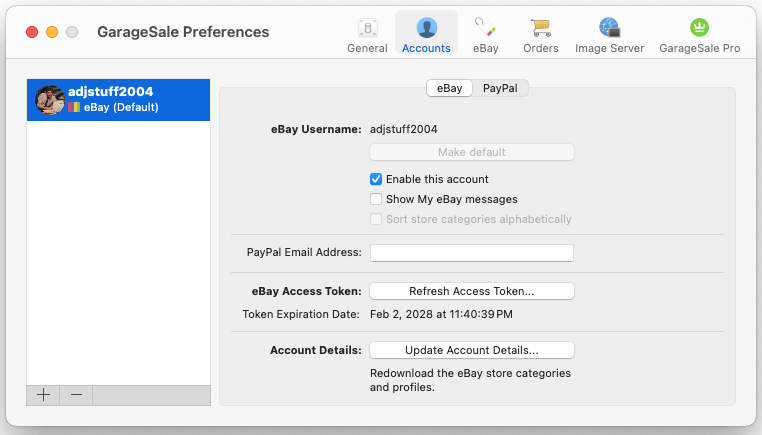
You are sure you actually removed all your eBay accounts from the GarageSale preferences > Accounts and re-added them afterwards, right? (You need to use the minus and plus buttons below the account list for that.)
If in doubt, please see this help chapter: Accounts
Could you send me a screenshot of your GarageSale preferences > Accounts so I can see what you see? (You can send me a direct message if you don’t want to share it here.)
Taking screenshots is done easily:
Press Command-Shift-4 on your keyboard simultaneously, then select an area with the cursor. It will be saved as an image file on your desktop.
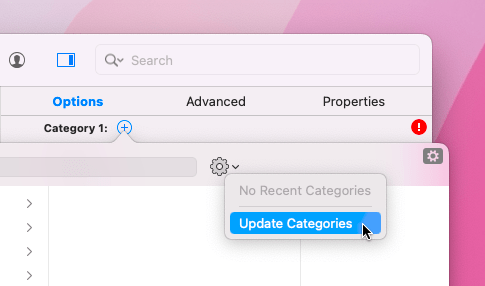
If you update the eBay category data manually, you see the progress bar, right?
Is there anything special about the affected listings? E.g. do they use a different eBay Site? Do you use eBay’s “Global Shipping Program”?
Thank you for trying. Really odd it’s still happening even after renewing the token.
Could you export one of the listings in question using GarageSale’s export function (File menu > Export Listings) and send it to me so I can have a closer look at it? Compress (zip) the file before sending it to me.
If it’s larger than 10MB, please use e.g. SwissTransfer:
@bychancegifts After following up with Kristian via DM’s, I may have found a temporary workaround. I extracted my messages below for reference.
=====
Ok for that one template I changed the category from not set to “Books and Magazines > Books”. That worked and now that template reliably opens again.
I’m still encountering the preview problem for other random listings which already have their categories set, including both running and non-running. If I click on a random listing and it loads without issue, and then I click back to a problematic template, the latter will successfully load as well. So the act of switching between listings appears to help.
I also just discovered another behavioral detail: if multiple templates share the exact same eBay category, and one of those templates is successfully loaded via the back-and-forth switching process described above, its “siblings” will successfully load as well. But the preview stuckness bug recurs if I then click on a template whose category is different than any which have been previously clicked on.
In other words: successfully loading one template within a given eBay category appears to “unblock” all other templates within the same category. This status also seems to be preserved after quitting and restarting GarageSale.
=====
BTW I also tried the “Update Account Details” in the preferences, didn’t seem to have any effect.
=====
…For now it looks like I will just have to do the back-and-forth clicking to manually unblock every category currently used across my listings, and set temporary placeholder categories on the generic templates, so hopefully the preview behavior will stabilize.
Just curious, when the Preview keeps loading, does the Condition menu in the Inspector display “Downloading”?
Also, any chance you can give the latest beta version of GarageSale 10 a try? Wondering if you are experiencing the same issue there. (In GS10 refresh the eBay access token and update the eBay category data first.)
You can download it here:
Hi there, Kristian, and thanks for the reply. The “condition” indicator says “downloading” very briefly when you click on a template.. perhaps for 2 seconds.. and then it changes to “error”.
I will give the beta a shot and let you know. The solution of changing the category as suggested above did help here too.