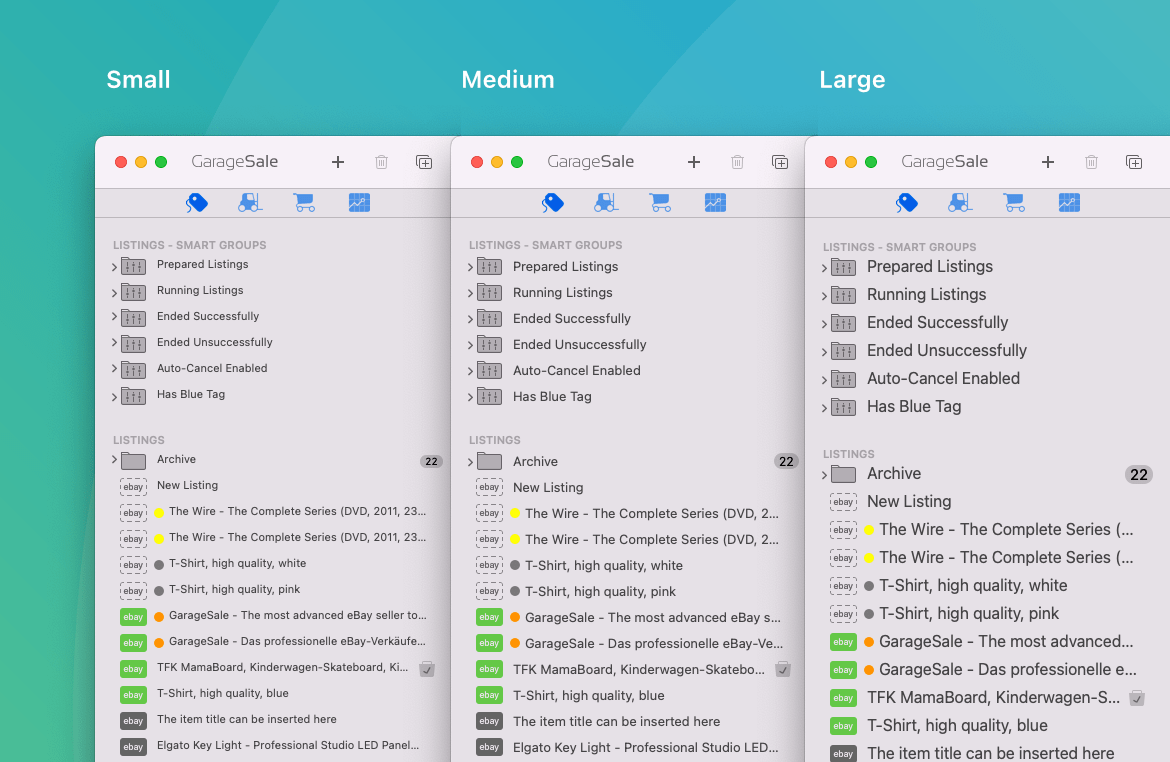
Hey GarageSale development team, would you consider adding a View/Zoom In and Zoom Out (Command + / Command -) that would adjust the size of the text displayed in the left sidebar and Inspector sidebar on the right? Ideally, this would work similarly to how text size can quickly be scaled bigger/smaller in Safai.
Reason I ask is this—I bought one of the new MacBook Neo laptops as a highly portable GarageSale machine for carrying between my disorganized workspaces. Less than a day in, I mostly like it, but my eyes are still trying to get used to the necessary cost-saving limitations of the Neo’s sRGB screen. Specifically, its default resolution is a scaled one, so text doesn’t render as sharply as it could. The 1204 x 753 pixel setting (50% of native resolution) is way, way sharper to my eyes, so I’m now using that. Problem is, such a low resolution setting makes the 3-pane display of GarageSale pretty crowded—it would be wonderful if there were a quick way to zoom text displayed within GarageSale. I think this might be broadly useful to other GarageSale users who use smaller screens.
Also, major props to you guys for making such a lean, low ram-footprint application. I copied over my GS Library with over 15 years of listings, and it’s running super on the Neo, which I didn’t entirely expect given the Neo’s budget-conscious 8GB of ram and iPhone processor, so thanks!