Spending the holidays at the office has finally paid off: I’ve just managed to reproduce a bug that had been affecting us for some time in an apparently random way. I can attach a video, but in the meantime I’ll try to explain it here (please let me know if anything is unclear).
Occasionally, GS would set the price of fixed-price listings to zero, even though the price had been entered correctly. This became an issue because we found dozens of listings with no price (zero value with a red icon next to it), despite having been properly priced. I’ve now identified how to reproduce the bug:
In the main price field (i.e. NOT the price box in the side column), place the mouse cursor and click once after the price (so the cursor is positioned after the value).
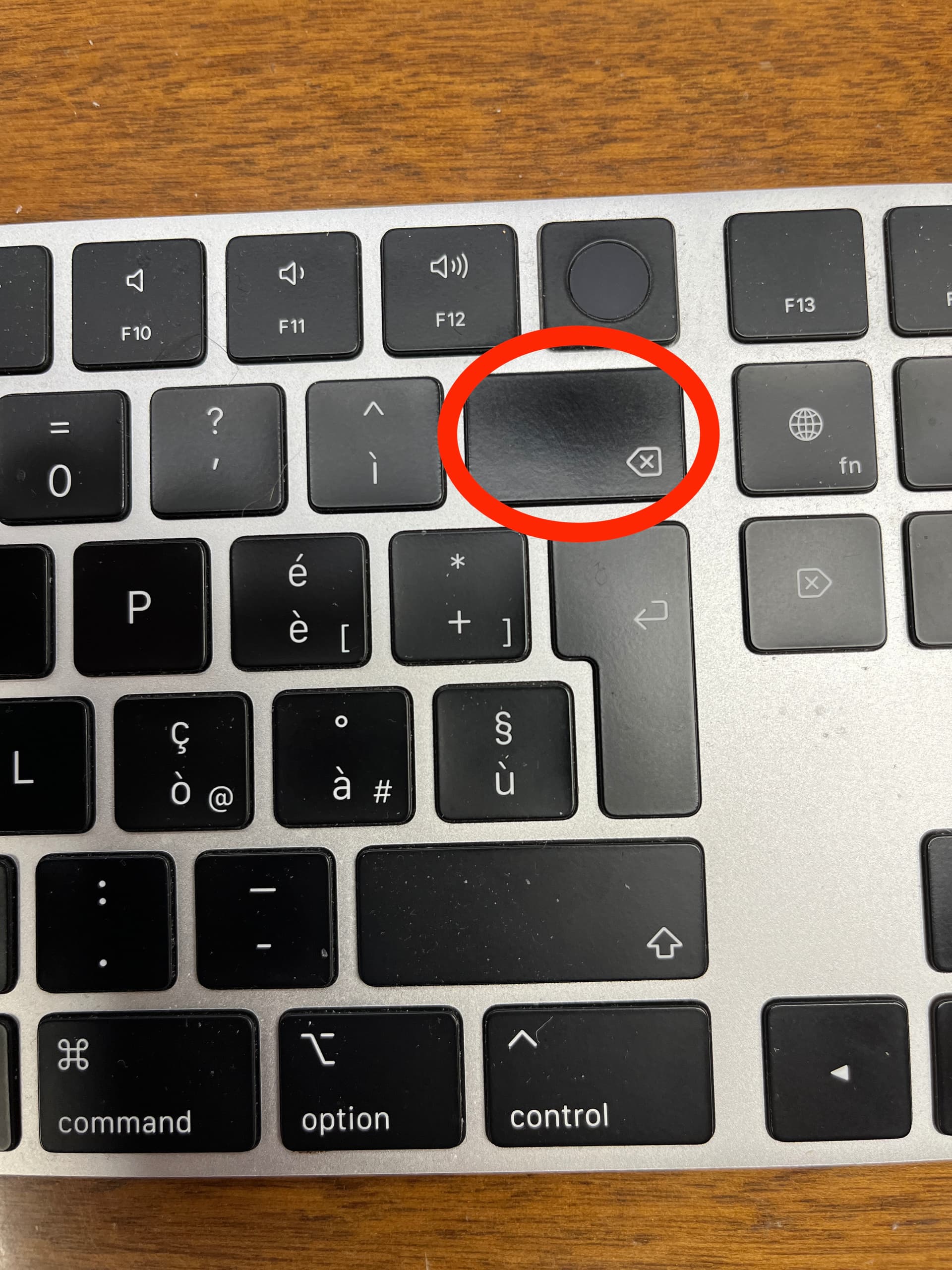
Press the Delete key to remove the price: GS will then display zero and the red icon.
Enter a new price: this value is not saved, and the price in the right-hand column remains zero.
If, instead of using the Delete key, the price is selected with the mouse (triple-clicking or dragging over the price and new price typed), this bug does not occur.
Please let me know if you’re able to reproduce it and whether you need any further details.
I just tested it but couldn’t reproduce any issues. I am probably not doing it correctly.
I am using GarageSale 9.9.5beta under macOS 26.
With “Delete key” you are referring to a key on the keyboard, you are not referring to the delete button (minus symbol) next to the price field, right?
Also, you are referring to the Buy It Now price field inside Preview Mode, please confirm.
Can you maybe document the issue with some screenshots?
Thank you for making the video. I’m doing the same thing, and it works flawlessly for me.
Maybe it has to do with the macOS version.
You are using an older version of macOS, is that true? Which version is it?
I was able to reproduce this bug on macOS 14.7.5, GS 9.9.2, though it took me 2 times in the same record. I also use a different Apple keyboard that has a larger delete button. Unsure if that makes a difference. The first time I clicked into the field, used the delete, put a price, it updated the sidebar price right away. But then doing it again [clicking out of the field, then back into it], it did not update. See screenshot.
EDIT: FWIW, I’ve had this issue with other fields in the Preview area. Namely the stuff under Item Specifics. I will list authors for books in the sidebar and a few times I noticed, in the preview, a typo I made. If I correct it in the preview area [not the sidebar], it does not get updated. I even deleted an author once, as I had it listed twice, and the deletion did not stick. I moved the mouse to another area after the edit was done, and clicked, which should have sent the update through, but it didn’t, much like this price bug. Overall, I’ve found editing stuff in the Preview area not to work, figuring it was for previewing only, and the fact one could click into that area was just a mistake. About the only work I do in the preview area above an item description is click the scissors icon to trim fields that are too long for eBay. But I do also have issues with the eBay listing title and listing description fields, where cursor focus takes many attempts of the trackpad/mouse click to stick, so I can type in them.
I believe the bug has to do with the “,” in the price field. Somehow it confuses the conversion into a numeric value. Let’s see if there’s a fix that does not break GS for people using a “.” as decimal separator.
I think you can convert “,” to “.” for everyone, if it helps. I don’t think people that uses commas for decimals won’t understand… maybe GS can automatically convert it… just an idea to fix this bug.
I’ve never used a comma for the price field as I’m in the US and it’s always a period. In my screen shot I was able to reproduce the bug with a period.
In the USA, when I enter a US$ price like “1,499.99” in a Smart Group price rule field, it shows up as “1”. So I have to enter “1499.99”. (If I want to change an existing “1,499.99” price to “1,399.99”, it shows up as “1”, so I have to remove the “,” when I edit a large $ Smart Group price field.)
If I understand the JavaScript documentation correctly, every characters that’s neither or digit nor a period causes the value of a numeric input field to be zero.
Seems we need to change how the preview html is constructed to fix this one.
I guess I should also say, when I say I use a period, it is to separate dollars from cents: $99.95 But if I have a very pricey item $1299.95 I don’t use a common in GS, though in real life I might put a comm between the 1 and 2. But for the US at least, we use a period to separate collars from cents, but in the video the OP posted, they use the comma - $99,95.
Anyway, for me, when I used the period for $98.66, the bug still showed.