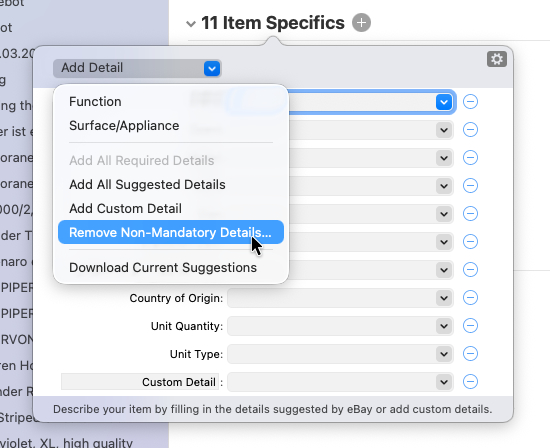
Added “Remove Non-Mandatory Details” command to attributes popover drop-down menu. It’s also available in Preview mode. A warning appears when you select this command so that you don’t accidentally remove details.
I tend not to upgrade unless something major is broken, or there are major added features I want, as upgrading can create it own set of unknown headaches.
I assume that “Remove Non-Mandatory Details” command must be invoked manually on each item.
I do not fill out item specifics with data. My generic item templates use a set of 10 item specifics commonly shared among many categories, which all all set to “N/A” or something similar. By media templates use 13 commonly shared item specifics.
I only occasionally have to add one or more item specifics for categories I do not normally sell items in. These are also set to “N/A” manually.
These commonly shared item specifics do not apply to certain categories, but its not worth my time to manually eliminate them from each listing to make the listing more tidy.
I’d like to see a GS upload preference which will leave the attributes in place in the listings, in case they are needed in the future, but ignore non-mandatory item specifics when the listings are uploaded to eBay. Essentially this would bypass the item specifics form being uploaded but leave them in place.