Just noticed when I can highlight four listings, thumbnails will appear in the main window, but when I try to open any one of them, GS switches back to the “generating preview” gears.
You can selected multiple mails at once by holding down the shift or command key while selecting emails. It should then be possible to delete all selected emails at once by selecting the Delete command from the context menu (right mouse click).
Does it maybe already help if you just re-select the category in the category browser?
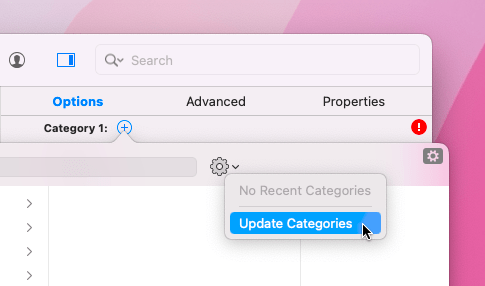
If not, it might help to update the eBay category data manually:
Refresh the eBay access token in the GarageSale preferences > Accounts.
After you have refreshed the eBay access token, select one of the listings in question and open the category browser. In that browser click on the big sprocket icon to update the category data.