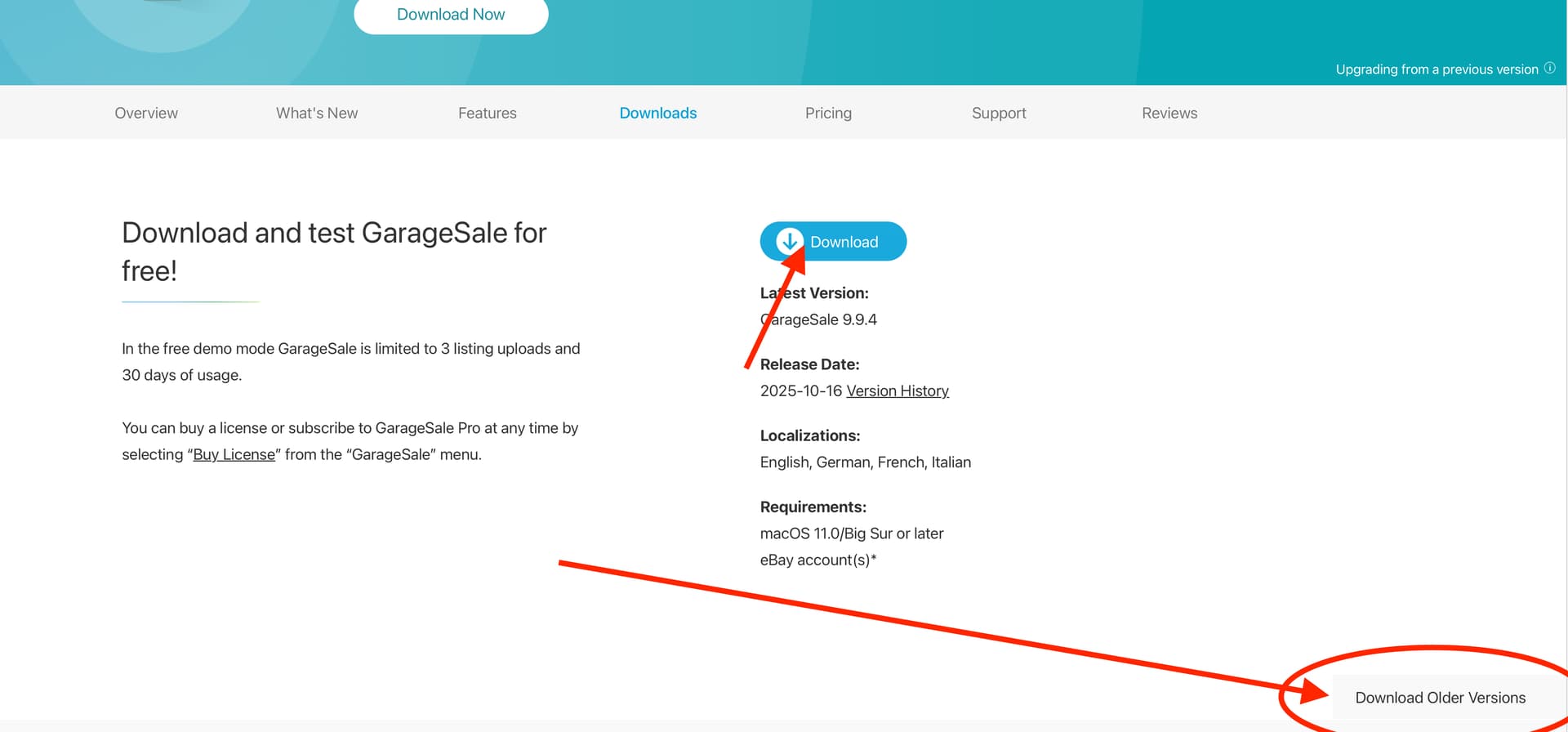
Come next month, I plan on upgrading my GS from 9.9.2 to 9.9.3 or maybe 9.9.4. I realize that 9.9.5 will probably be out of beta then, but I am very conservative with my app updates. Is there a web page that links to older versions of GS? I realize using the updater [as of right now], will not work to update to 9.9.3 from 9.9.2 as 9.9.4 is current, so a second question would be - after making a backup of the app [and data], just moving the 9.9.3 app into /Applications is okay? [or maybe there’s an install wizard with GS - I forget honestly!]. If any database/behind the scenes aspect needs updated, I would assume this would be done upon first run of the app if no wizard does this during the update process?
Unfortunately there’s no download links to prior versions on that page or the main downloads page, or the changeling page [I checked their blog and the other pages prior to posting]. Unless I am just clueless here and not seeing it. Links I hovered over all lead to either the main GS page or the GS downloads page. Am I missing something? [I may be!]
This page does a download of 9.9.4 to my computer when I click the download button. I have been running 9.9.4 since it came out. I also tried 9.9.5b1 but went back when I got a lot of spinning ball delays. The only version I get with older versions link is 8.4.1
Doh! I didn’t even see that “download older versions here” link…thank you! Though for me the older version is 8.4.1 which is a touch too old [I don’t think it functions since the eBay API has changed since 8.4.1 was released in January 2022].
Double Doh! Thank you! I thought I did a search in the forums, as I usually do before posting a question, but I must not have. That works like a charm and is exactly what I was looking for. Thanks so much, @rlmartin! Much appreciated!
When I install new software on my Mac Pro I archive a copy of the install file to a folder names after the software and versions inside a “Application Archive” folder on one of my hard drives. These files are later archived on DVDs for long term storage. I also maintain a searchable list of DVD contents as I have multiple plastic totes of archived DVDs.
I further document the software within mSecure, such as recording the website it came from, license and so on. I’ll add notes for upgrades and so forth. This is helpful for quickly copying data such as the license to the clipboard if needed.
I save supporting documents such as receipts, downloads of the user manual, screenshots of the web site it came from in the same Macintosh folder that the install file is located. For lengthly notes, such as special installation notes, I’ll add a TextEdit rtf file titled “_Notes” in the same folder.
This involves a initial outlay of time, but saves time in the long run as I can quickly find supporting files.