Personally I do not rely on any of eBay’s catalog for any books or any other items.
I also do not use any item specifics. Any required item specifics are already filled with “N/A” or something similar within a book listing template I use.
Most of the books I sell are antique and vintage or were privately printed so they do not have bar codes.
I don’t want to spend any time proof reading another person’s work or relying on it.
I find it much less time consuming to type the title, author, publisher, copyright, number of pages, edition into the description and copy and paste into the title.
I inspect all books from cover to cover and photograph books prior to creating a listing so the information typed into the description can simply be taken from the photos. When the books are inspected I also made some shorthand notes regarding condition issues which are entered into the description. This allows me to process books in batches, with the process divided into different steps.
If you’ve already type the title of the book into a listing within GS you can use this AppleScript saved as app to search eBay for the title. Change the browser as needed. Change the GarageSale reference as needed depending on what GS version you wish to target or simply “GarageSale” if you only have one version installed.
tell application "GarageSale 9.8.1"
	repeat with theListing in (get selected ebay listings)
		set theTitle to get the title of theListing
		set t to my replaceText(" ", "+", theTitle)
	end repeat
end tell

tell application "Safari"
	tell window 1
		set current tab to (make new tab with properties {URL:"https://www.ebay.com/sch/i.html?_nkw=" & t})
	end tell
end tell

on replaceText(find, replace, textString)
	set prevTIDs to AppleScript's text item delimiters
	set AppleScript's text item delimiters to find
	set textString to text items of textString
	set AppleScript's text item delimiters to replace
	set textString to "" & textString
	set AppleScript's text item delimiters to prevTIDs
	return textString
end replaceText
If you copy a portion of the title to your clip you can use this Applescript saved as app to search eBay.
set c to the clipboard

set t to my replaceText(" ", "+", c)

tell application "Safari"
	tell window 1
		set current tab to (make new tab with properties {URL:"https://www.ebay.com/sch/i.html?_nkw=" & t})
	end tell
end tell

on replaceText(find, replace, textString)
	set prevTIDs to AppleScript's text item delimiters
	set AppleScript's text item delimiters to find
	set textString to text items of textString
	set AppleScript's text item delimiters to replace
	set textString to "" & textString
	set AppleScript's text item delimiters to prevTIDs
	return textString
end replaceText
This AppleScript is a combination of the two. It will look at all the text copied on your clipboard and if its in the title of selected listing it will search eBay with the text on the clipboard. If the text is not within the title it does the search with the title.
set c to the clipboard

tell application "GarageSale 9.8.1"
	repeat with theListing in (get selected ebay listings)
		set theTitle to get the title of theListing
	end repeat
end tell

if theTitle contains c is true then
	set t to my replaceText(" ", "+", c)
else
	set t to my replaceText(" ", "+", theTitle)
end if

tell application "Safari"
	tell window 1
		set current tab to (make new tab with properties {URL:"https://www.ebay.com/sch/i.html?_nkw=" & t})
	end tell
end tell

on replaceText(find, replace, textString)
	set prevTIDs to AppleScript's text item delimiters
	set AppleScript's text item delimiters to find
	set textString to text items of textString
	set AppleScript's text item delimiters to replace
	set textString to "" & textString
	set AppleScript's text item delimiters to prevTIDs
	return textString
end replaceText

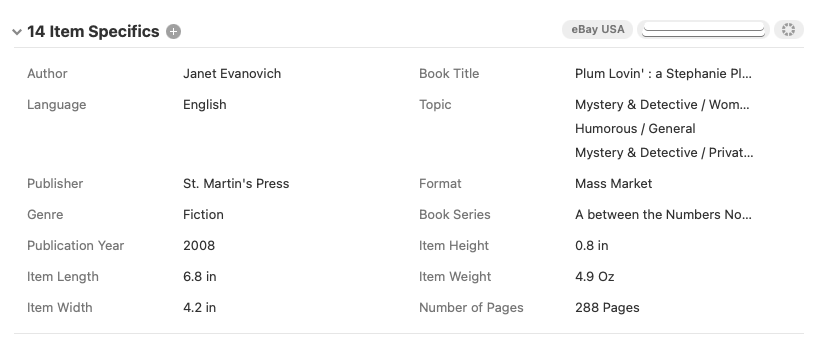
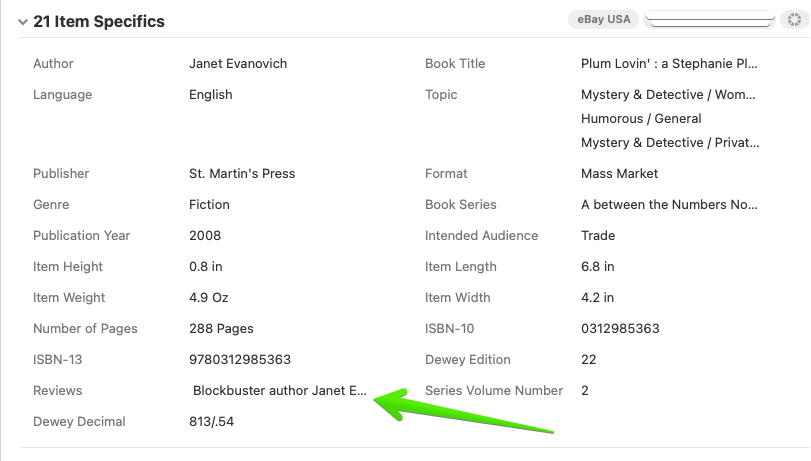
 ]. I’d love to say that ISBN is the best way to get the exact edition/copy you have in your hand, but even today, it remains a hit or miss. Some ISBNs stay the same regardless of revisions in editions/printing/etc. As long as the publisher stays the same [first part of a 10-digit ISBN; characters 4-5 or up to 4-9 in ISBN-13], then often the ISBN will stay the same.