I’ve been using GarageSale since version 6, somewhere around 2011. I’ve moved through several different computers during that time. Now I’m making the switch from an Intel iMac to an Apple Silicon machine, and I’m opting to just start fresh instead of just transferring everything over with Migration Assistant in hopes to remove some of the bloat in my system.
Part of that bloat is the GarageSale ImageLibrary folder found deep within the Library folder. Over the last 14 years or however long, I’ve saved every listing, so my total is around 4,000 listings, which has added up to about 80 GB of image files stored in the ImageLibrary folder. I’ve read a few old threads about how to manually move the files over to a new computer, and I’ve also tested out exporting listings. Here are my questions:
Is it possible to store those image files on an external drive and still have it viewable within the GarageSale app? If I’m able to host that data on an external drive, that would be the easiest solution.
Does the “Listings/Images/Remove All Images” function also delete the image files from the Library folder as well as the listing template? If not, then what is the best way to selectively clear the data in the Image Library?
If I just want to export all of the old listings, is there a way to host those on an external drive and be able to view the gslisting files within GarageSale without importing it and therefore adding that data back into the Library folder?
I probably don’t need to keep all these old listings within the app anymore, as it’s definitely slowing the app down from what I can tell, but I don’t really want to just delete all that info either. Any suggestions or tips would be appreciated, thanks!
I don’t think that’s possible. GarageSale is a sandboxed application and can only access files within the “Container” directory provided by the System (exceptions are files selected by the user in Open/Save panels, or drag & dropped files). So even if you replaced the ImageLibrary folder with a symlink to a directory on an external drive with the Terminal app, the system would prevent GarageSale from accessing that folder.
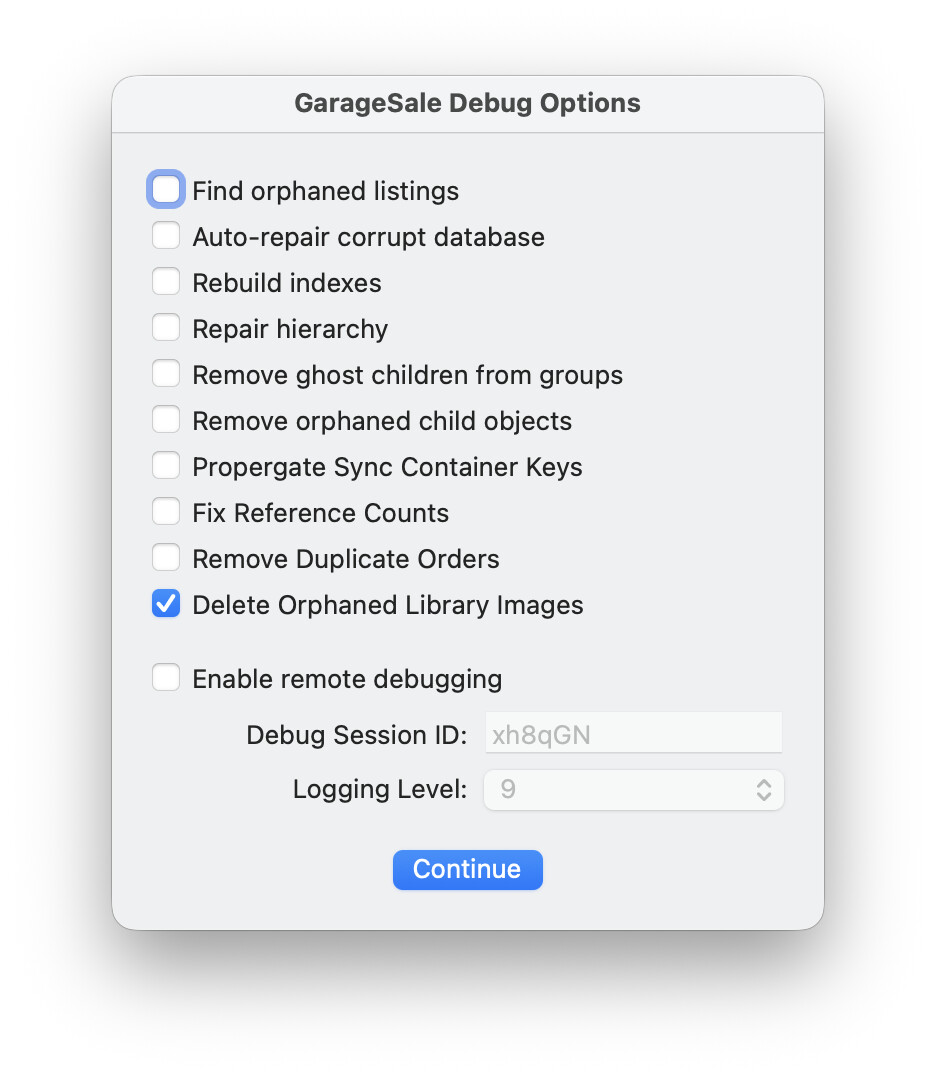
But here is something worth a try. Grab the latest beta version of GarageSale 10 from here GarageSale 10.0 Beta 9 Released. When launching that app, hold down the control key and select the “Delete orphaned listig images” option, which will scan through your image library folder and delete those image from disk, that aren’t used by any listings.
Yes, images are removed from the listing, and the image file is removed from your hard drive. But sometimes GarageSale’s internal record of how many listing are using an image is wrong. In that case, the image would remain on your hard drive.
Sorry, there’s no way of viewing the contents of .gslistings files without importing them first into GarageSale. We used to have a QuickLook plugin for viewing the content of those files in the Finder, but I cannot recall what happened to it.
After removing images from the very old listings you need to run the “Delete Orphaned Library Images” to clean them all out of the Library file. I had more than 20,000 excess photo’s in the Library before this was developed to remove them