The Send Offer To Watchers window does not properly remember the window size after a quit and relaunch of the GS application.
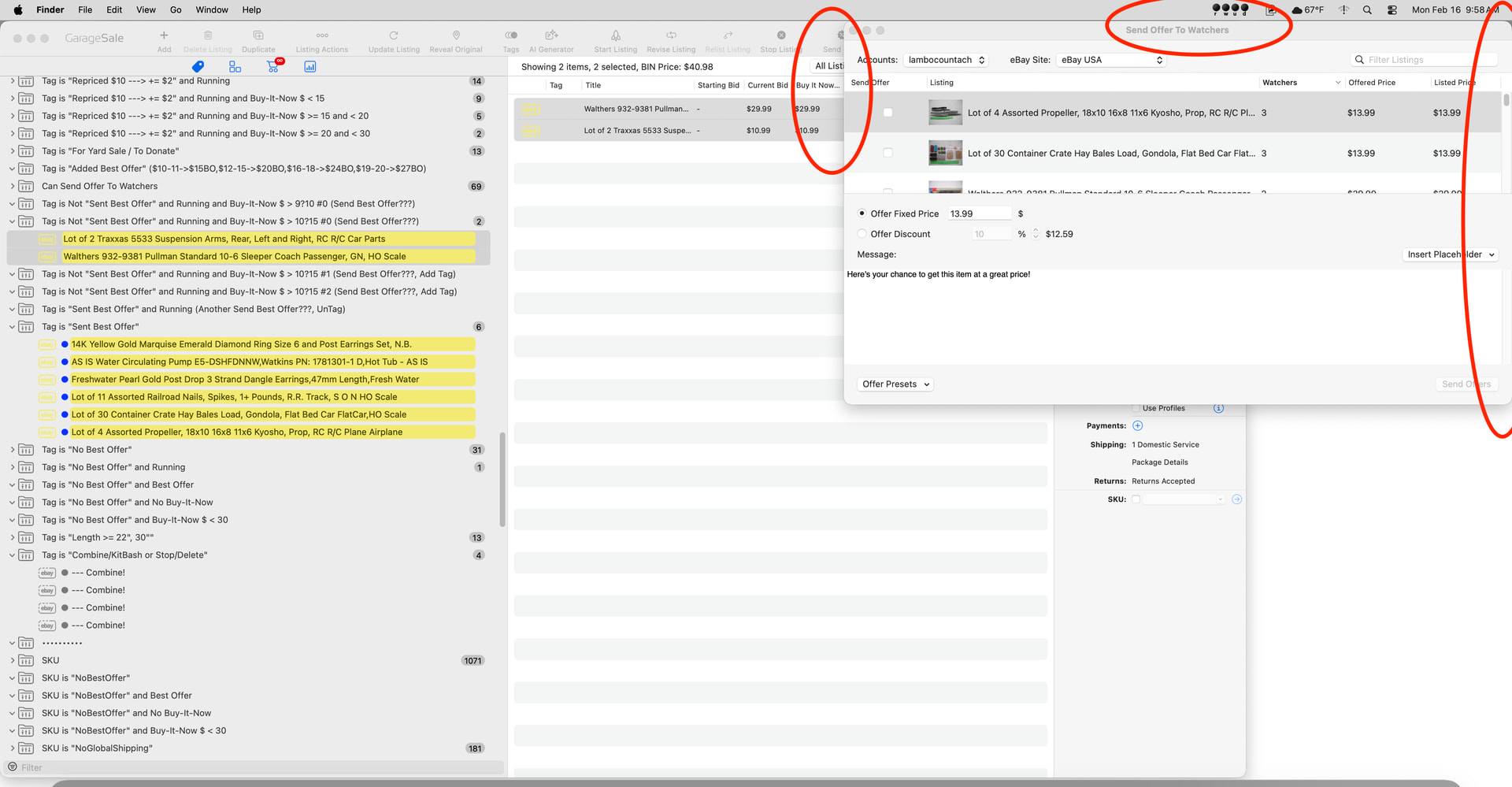
- Open the GS app. Open the Send Offer To Watchers window. Move it to the upper right corner of the display screen. Notice the size and location. See Photo 1.
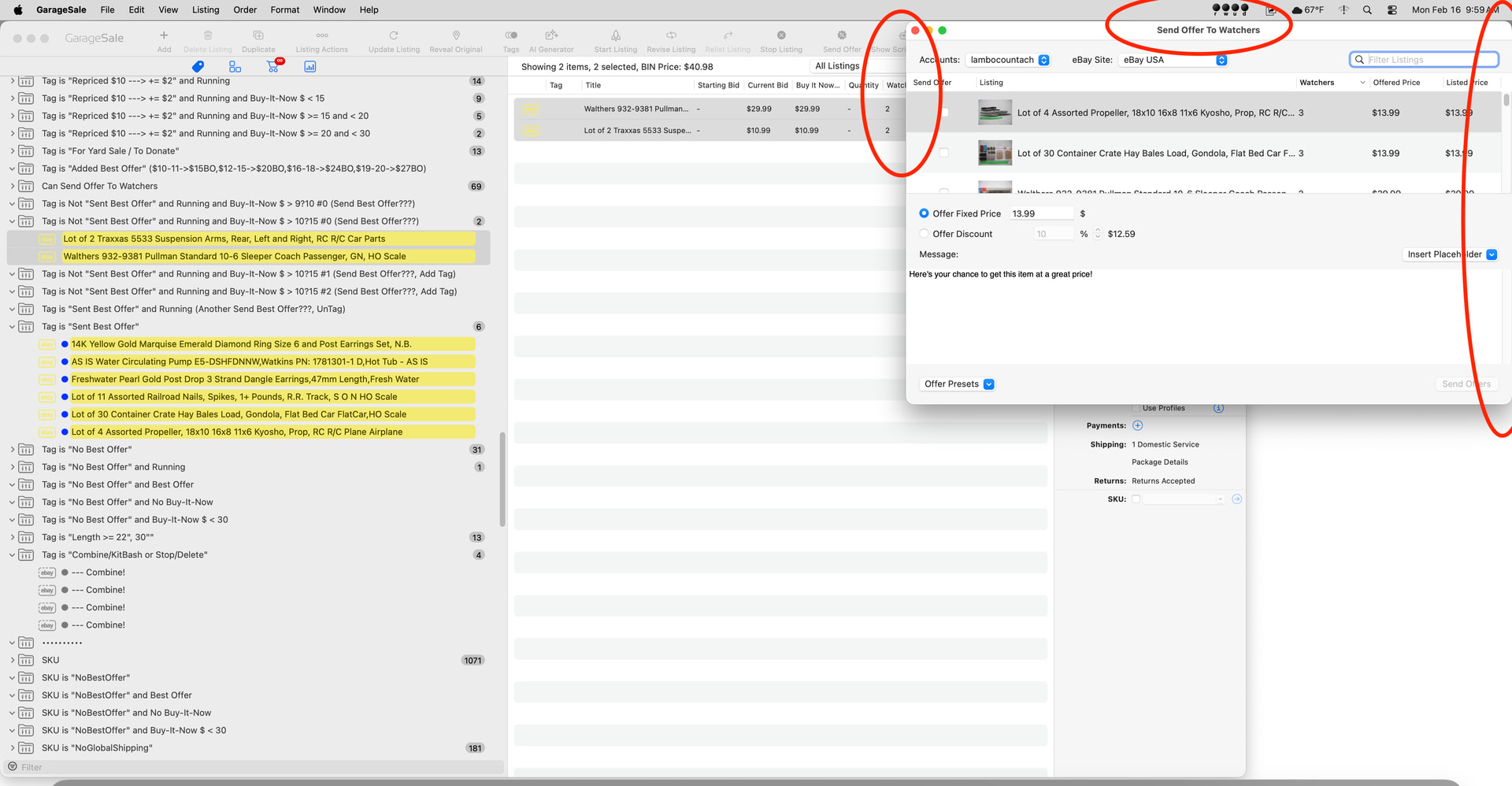
- Drag the left side of the window to make it smaller. Notice the size and location. See Photo 2.
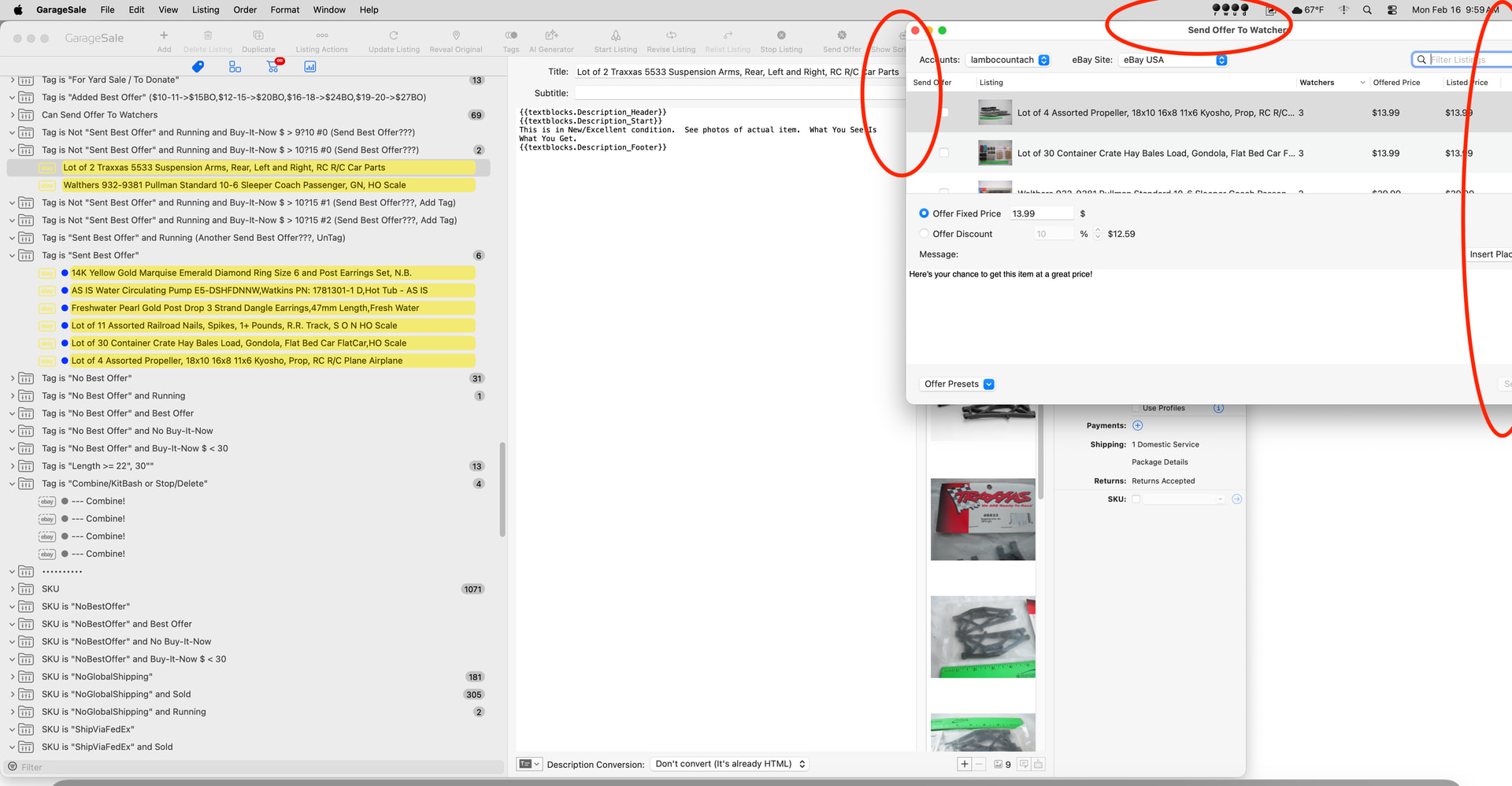
- Quit the GS app. Reopen the GS app. The Send Offer To Watchers is now closed. Bug? Open the Send Offer To Watchers window. Notice the size and location. The window size is back to the original size, and it is hanging off the right edge of the display screen. See Photo 3.
Neal