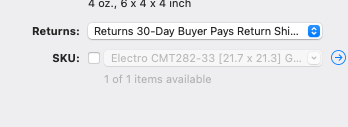
Created a new variation listing a couple days ago and went back to the listing to add a SKU. When I started typing in the SKU box, it auto-populated my inventory, I then hit the backspace button within the SKU box to remove the auto-populated info to type my SKU. Once I did this my photos disappeared from the listing. I opened the variations for the listing (54 variations), photos were all present but unchecked. I then unchecked the SKU box and which now holds my inventory list (see photo) I use this SKU box to assign the location where my item is stored in my storage room. Example: Blue Bin #2 - Elenco Toys. This info then shows up on eBay when the item is sold and I can easily know where to locate the item for shipping.
It appears this may be a change with the software. If so, does anyone know, where in the software I can add my item location which would be visible when an item from my listing is sold? When I add a new item to my inventory, there is a location field, but it does not show up on eBay when an item is sold.
I think the trick is to first define the SKU field before adding variations.
It seems if you change the SKU field, GarageSale tries to display the images associated with that inventory item (even if there is none) and therefore removes any previously defined variation images from the listing.
You could also use the “Private Note” field or create a “User Property” in the “Properties” Inspector to write down the location. However, these fields stay internal in GarageSale and will not be transmitted to eBay. So, once sold you would need to check the listing in GarageSale to see the location.
I think the trick is to first define the SKU field before adding variations.
It seems if you change the SKU field, GarageSale tries to display the images associated with that inventory item (even if there is none) and therefore removes any previously defined variation images from the listing.
Thanks Kristian, I believe your advice listed above is the best way forward. As always you are spot on
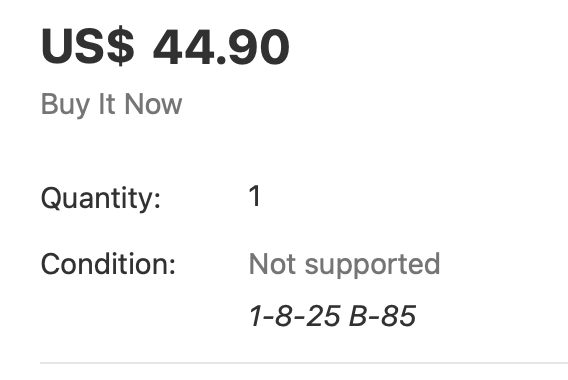
I add my location identifier to the “condition details” line. It is transferred to ebay and is at the top of every listing and easily found after a sale. In my screen shot attached my location identifier is “1-8-25 B85”
For mine, I add a distinctive User Property field (mine is CBLOCATION to avoid problems when searching), and use smart groups and scripts to identify listings that lack that field. The trick for me is that I often change the location of items as I consolidate storage, and unless I have complete control over it I need to check everything everywhere to confirm, so this is easier for me.
That can then be inserted into the GarageSale packing slip template, or referenced in a script to compile a pick list with location and title info, as needed.
Because I sell things that are rarely non-unique, I don’t often use Inventory tables, but “Condition Details” is an interesting alternative.
I suppose it’s also feasible, if you spend the time doing inventory checks, to add the location info as part of the SKU, depending on your system.