I see that you can sort Smart Groups by SKU by there no way to sort regular groups by SKU so I thought I’d see if there was a workaround for that.
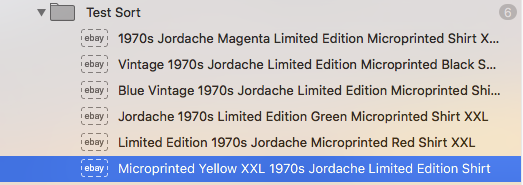
I created a test folder of six fairytale 1970s Jordache t-shirts, each a different color.
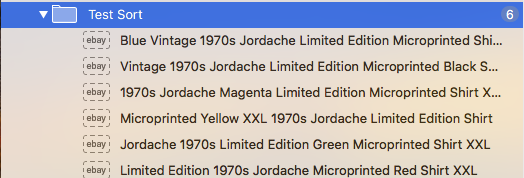
The shirts have the following intital titles, SKUs and private comments. Two have no private comments.
Blue Vintage 1970s Jordache Limited Edition Microprinted Shirt XXL

394

(No Private Comment)

—

Vintage 1970s Jordache Limited Edition Microprinted Black Shirt XXL

425

25 x 23 x 6 @ 10 Pounds
42.90 Commercial Ground Advantage
74.65 Retail

—

1970s Jordache Magenta Limited Edition Microprinted Shirt XXL

247

(No Private Comment)

—-

Microprinted Yellow XXL 1970s Jordache Limited Edition Shirt

46

96742 Hawaii
Ground Advantage Cubic:
1 Cubic Foot
Commercial $23.80
Retail $56.95
23.80 + 15% = 27.37
28.00

—

Jordache 1970s Limited Edition Green Microprinted Shirt XXL

372

Hawaii
$54 Retail
$32.68 Commercial

32.68 + 15% = 37.58
38.00

—

Limited Edition 1970s Jordache Microprinted Red Shirt XXL

124

Ground Advantage
Retail $60.95
Commercial $36.15
36.15 + 15 % = $41.57
$42

UPS $111.69
If you select the folder of items and run the following script it stores the listing’s title at the top of the listing’s private comment area for later retrieval. It will change the listing’s title to the SKU and pad this number with zeros so that all the titles have 10 digits so they can be properly sorted. If you use whole SKUs numbers above a billion then you may need to pad them with more zeros.
tell application "GarageSale 9.8.1"

	repeat with theListing in (get selected ebay listings)


		if sku of theListing is not greater than 0 then

			--Do Nothing

		else

			set the previousComment to private comment of theListing

			if previousComment is missing value then

				set the private comment of theListing to the title of theListing & return

			else

				set the private comment of theListing to the title of theListing & return & previousComment

			end if

			set PaddedSKU to rich text -10 thru -1 of ("0000000000" & the sku of theListing)
			set title of theListing to PaddedSKU

		end if
	end repeat
end tell

on TenDigits(theSKU)
	return text -10 thru -1 of ("0000000000" & theSKU)
end TenDigits
Below are how the titles look after running the above script.
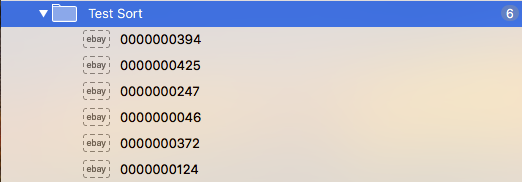
The item’s titles, SKUs and private comment will now consist of the following data. You can see that the titles have been saved in the private comments section of each listing above any previously existing comments.
0000000394

394

Blue Vintage 1970s Jordache Limited Edition Microprinted Shirt XXL


—

0000000425

425

Vintage 1970s Jordache Limited Edition Microprinted Black Shirt XXL
25 x 23 x 6 @ 10 Pounds
42.90 Commercial Ground Advantage
74.65 Retail

—

0000000247

247

1970s Jordache Magenta Limited Edition Microprinted Shirt XXL


—-

0000000046

46

Microprinted Yellow XXL 1970s Jordache Limited Edition Shirt
96742 Hawaii
Ground Advantage Cubic:
1 Cubic Foot
Commercial $23.80
Retail $56.95
23.80 + 15% = 27.37
28.00

—

0000000372

372

Hawaii
$54 Retail
$32.68 Commercial

Jordache 1970s Limited Edition Green Microprinted Shirt XXL
Ground Advantage:
Hawaii
$54 Retail
$32.68 Commercial

32.68 + 15% = 37.58
38.00

—

0000000124

124

Limited Edition 1970s Jordache Microprinted Red Shirt XXL
96742 Zone 8
Ground Advantage
Retail $60.95
Commercial $36.15
36.15 + 15 % = $41.57
$42

UPS $111.69
After you run the above script sort the folder by title via the contextual menu.
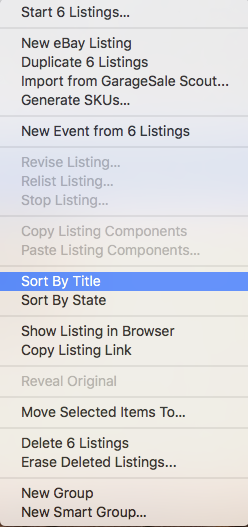
Ascending (select menu only)
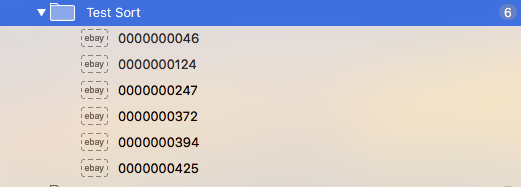
Descending (select menu while pressing Option key)
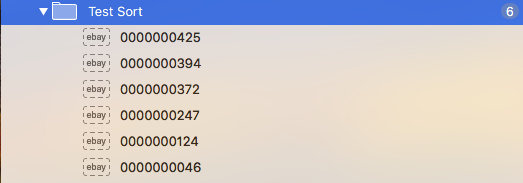
The items are now sorted by SKU. We now have to retrieve the original titles from the private comment sections and place those back in the listing titles. We also have to remove the titles from the private comments.
To do that you select the folder and run the following script:
tell application "GarageSale 9.8.1"

	repeat with theListing in (get selected ebay listings)
		if private comment of theListing is not "" then

			set privatecomment to private comment of theListing

			set ReturnLocation to offset of (ASCII character 10) in privatecomment

			set getTitle to rich text 1 thru (ReturnLocation - 1) of privatecomment

			set the title of theListing to getTitle
			set newText to my removeString(privatecomment, getTitle & (ASCII character 10))
			set the private comment of theListing to newText

		end if
	end repeat
end tell

on removeString(theString, stringToRemove)
	set originalDelimiters to AppleScript's text item delimiters
	set AppleScript's text item delimiters to stringToRemove
	set textItems to every text item of theString
	set AppleScript's text item delimiters to ""
	set modifiedString to textItems as string
	set AppleScript's text item delimiters to originalDelimiters
	return modifiedString
end removeString
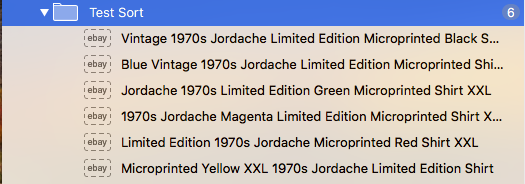
Listings that do not have SKUs are ignored and the titles will not be temporary overwritten using the listing’s SKU.
When the folder is sorted listings without a SKU will appear in alphabetical order above or below those with SKUs depending on if you sort them ascending or descending.
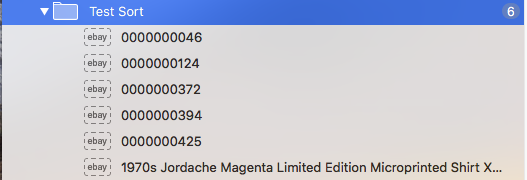
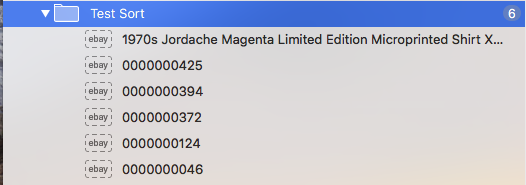
After the titles are restored and private comments cleaned up the listings without SKUs will remain in the same position.
You can use the following Applescript beforehand to check is there are any missing SKUs.
If there are no SKUs missing then it will display the message “All Listings Have SKUs”.
If one or more SKUs are missing then it will copy those to the clipboard and display the message “Missing SKUs Added to Clipboard”.
tell application "GarageSale 9.8.1"
	set MissingSKUs to ""
	repeat with theListing in (get selected ebay listings)
		if sku of theListing is "" or sku of theListing is missing value then
			set MissingSKUs to MissingSKUs & title of theListing & (ASCII character (10))
		end if
	end repeat
end tell

if MissingSKUs is not "" then
	set the clipboard to MissingSKUs
	display dialog "Missing SKUs Added to Clipboard"
else
	display dialog "All Listings Have SKUs"
end if
Change “GarageSale 9.8.1” to whatever its named on your Mac.
I would work on duplicate folders of listings for testing.
If a large number of the items are to be processed it might make sense to hide GS while its working and make it visible again once the code is executed so that one does accidentally mess around with the interface while its working.