I noticed that the ‘Insert Link To Listing’ function is quirky (v 9.9.2) on Mac.
On some listings, the link does not appear in the live listing even though it is present in the preview. Or it may contain strange characters (resulting in it not appearing in both the preview and live mode. On occasion, the link will appear in Live mode within the app, BUT not appear in the revised listing uploaded to eBay. Support has tried helping, but because this issue is not consistent, we are not able to determine what the problem is. This SEEMS to happen on previously listed items, but does not seem to occur for a NEW listing. Sometimes it won’t show in either preview mode or the live listing post revision. This feature enables the cross-linking of items. Has anyone else experienced this?
Can you try to send me one of the listings in question via Wetransfer.com ?
Yes, sending now. This is a listing of which the Insert Link to Listing appears ok INSIDE the APP, both in preview and Live mode, but does not show up in the revision sent to eBay, at least on my end. Again, this is hit or miss, as sometimes I have an issue, and sometimes all is good, not sure if it’s an HTML code thing or a template thing. The weird thing on this one is that the link shows up on my iPhone in the live but not on my Mac browser.
what email do I use to send
just use the support email
OK, now sending a listing that has issues, and the HTML code appears strange. On this one ( Ralph Lauren), the link shows up in the GarageSale app preview mode but not in live mode in the app or online. And it matters not exactly where I place the Insert to listing.
Received the listing, thank you.
I imported it in GarageSale. For me the listing link as well as the text snippets are shown in Preview mode and also Live mode. I am attaching a screenshot from Live mode:
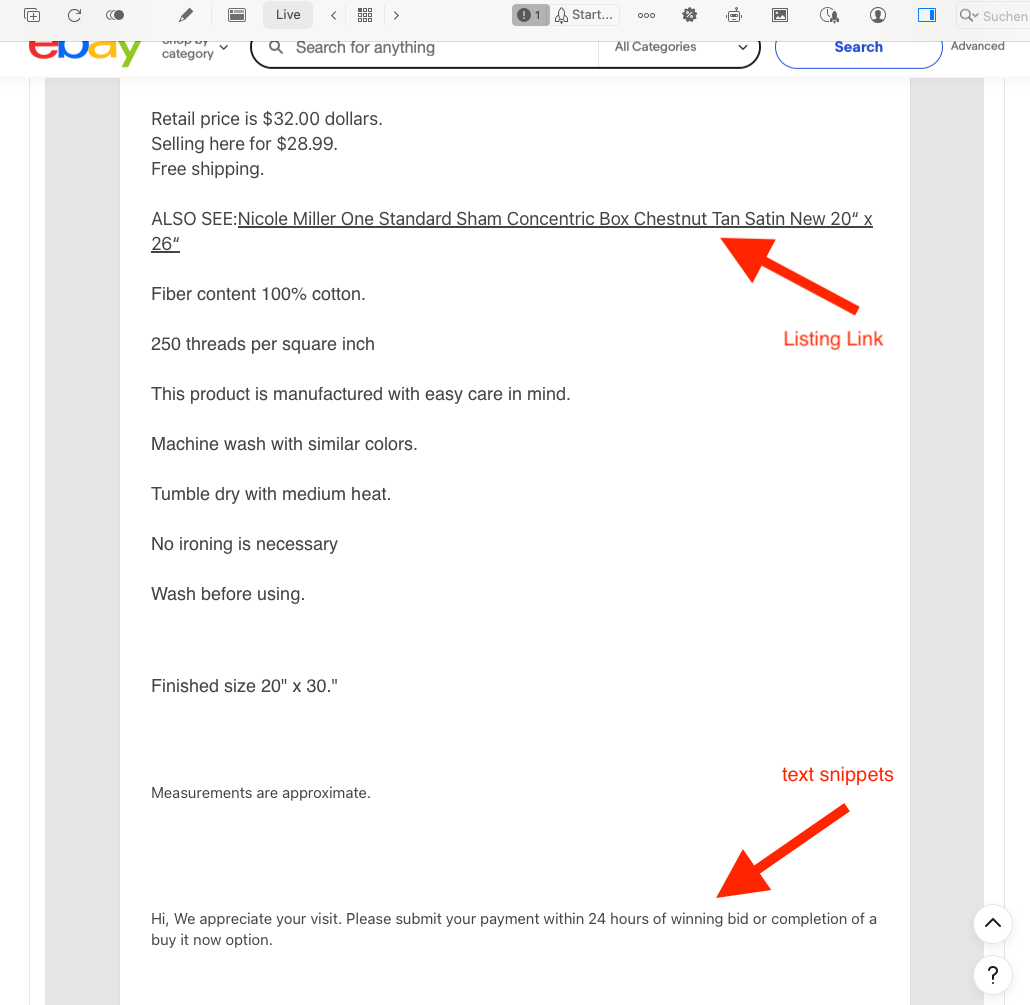
In addition I checked the same listing in Safari: The listing link and the four text snippets are shown there, too.
I also sent another one titled Ralph Lauren… That is the one that has the issue of NOT working. Maybe it is something to do with my OS.
I tried it with the Ralph Lauren one.
Feel free to send me a screenshot how it looks for you in Live mode.
Sending now. What you will notice is that on the browser Chrome, the link does not appear, but it is present in the preview of the app and iPhone LIVE AND Live Mode IN THE APP. But when I show the listing to the browser, the link is not there.
I will try clearing cache in my Chrome browser…
Issue is happening in my Safari browser as well. so Link appears ok EXCEPT WHEN I show listing to Browser, then the link is not on a web browser. tried on two separate browsers.
Ok, here is the deal. The Insert Link To Listing is buggy, at least on my end. The links sometimes do not appear in all browsers Live.
They show up on my iPhone and Firefox but not Chrome or Safari, and this is intermittent depending on the listing in question, and there are other anomalies such as not recognizing some uploaded listings ( I get a message “NO SUCH Listing”, even though the listing I’m linking to is live). The issues are too varied for me to narrow down when they occur, but they do. I will not bother you again on this; it seems you are not able to reproduce my issues on your end, and trying to explain or send files to you is too tedious. …Thanks
In the “Ralph Lauren” listing that I checked in Safari, the link is clearly visible.
My guess is that your HTML code is somehow mixed up. That might explain why the link sometimes appears in a browser and why sometimes it’s not visible all of a sudden.
What you could try is to tidy up all your HTML code. This how:
- Select all your text in Preview mode and copy it.
- Now switch to GarageSale’s Editor mode, select all code (or press cmd-a) and delete everything. If done paste your previously copied text. (Remove the text for the text snippets and listing link.)
- Now switch back to Preview mode and start formatting your text beginning at the very top.
- Switch back to Editor Mode and insert your listing link and text snippets.
This will give you the best and cleanest result.
Try to not paste text from other sources (e.g. Word).
This topic was automatically closed 10 days after the last reply. New replies are no longer allowed.