Disclaimer - I don’t think this is a request/feature that would be easy to do, and probably not many here would want it [but if you do, please say so! ]
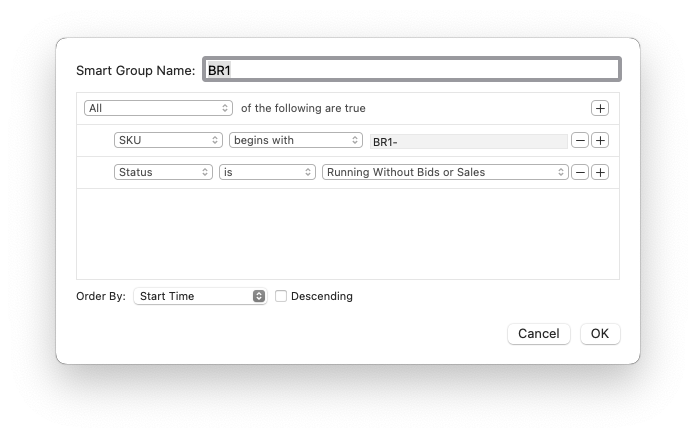
I have several Smart Groups based on different things. One of them, which helps during inventory time, is based on item location. I use the SKU field to tell me what shelf/tub an item is on/in. I have smart groups that show me currently selling items for each shelf. Eg: for items currently located on the BR1 shelf, this smart group will display that:
My request is - it would be nice to have these particular smart groups living in a folder called Locations or Shelves etc. But one can not create a normal folder in the Smart Groups collection.
I do have this same setup in my inventory program, so it’s not a huge deal for me [and that allows smart collections to live in a “normal” folder]. But one of the things I like doing is looking at what’s located in a particular area, and doing price checks/revisions. So if BR1 is filled to the brim with stuff, I can quickly look at GS, see what’s there, reprice stuff, etc. I can’t do that same kind of interaction with my inventory app, so that’s why I keep the same kind of Smart Group in GS.
I don’t know if this is what you are asking for or not. I create dead smart groups with the titles I want to (delineate?) separate my smart groups. A suggestion purely as a workaround.
Aaaah, okay! I’ll give that a try. One aspect for wanting nested smart groups [or a folder to contain them] is to avoid more vertical scrolling on the sidebar. Your solution adds more vertical items, but it does make it nice to separate my shelving smart groups from my other smart groups. Thanks for the suggestion - I will give it a try and at the very least, it gives a bit of organization to my smart groups.
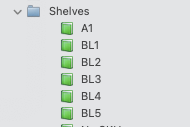
EDIT: what I am lookin for is something like this:
The blue folder is just a folder, but the green smart groups are…well, smart. I keep the folder closed normally, but this snippet of a screenshot shows what I mean - would be nice to have a folder that could contain smart groups so one could open/close it as needed.
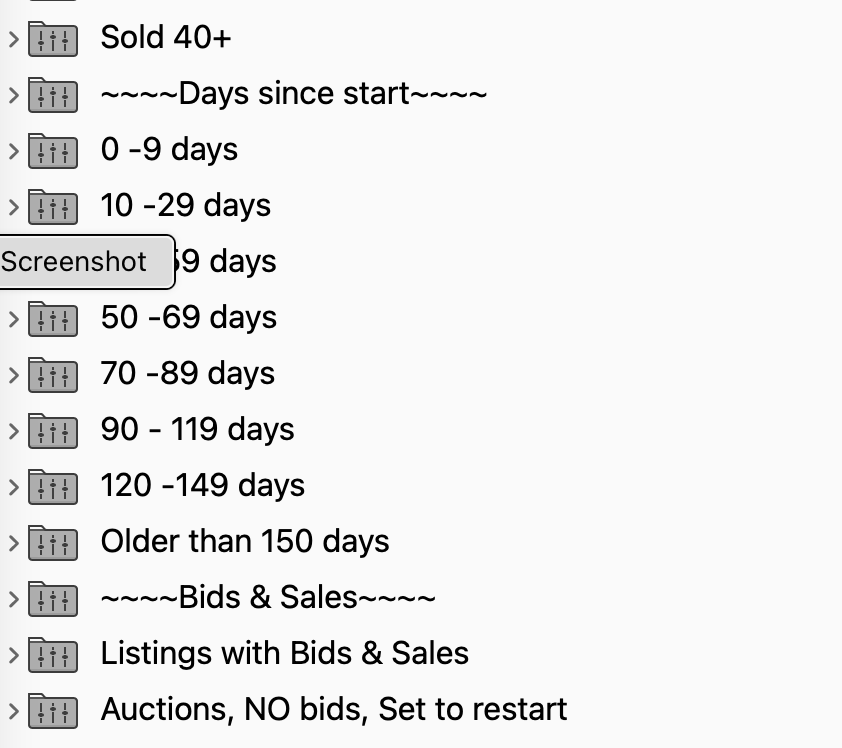
You can’t keep smart groups inside smart groups only listings but I needed a way to organize. After listing I spend most of my working in the smart groups with 40 or so different groups.
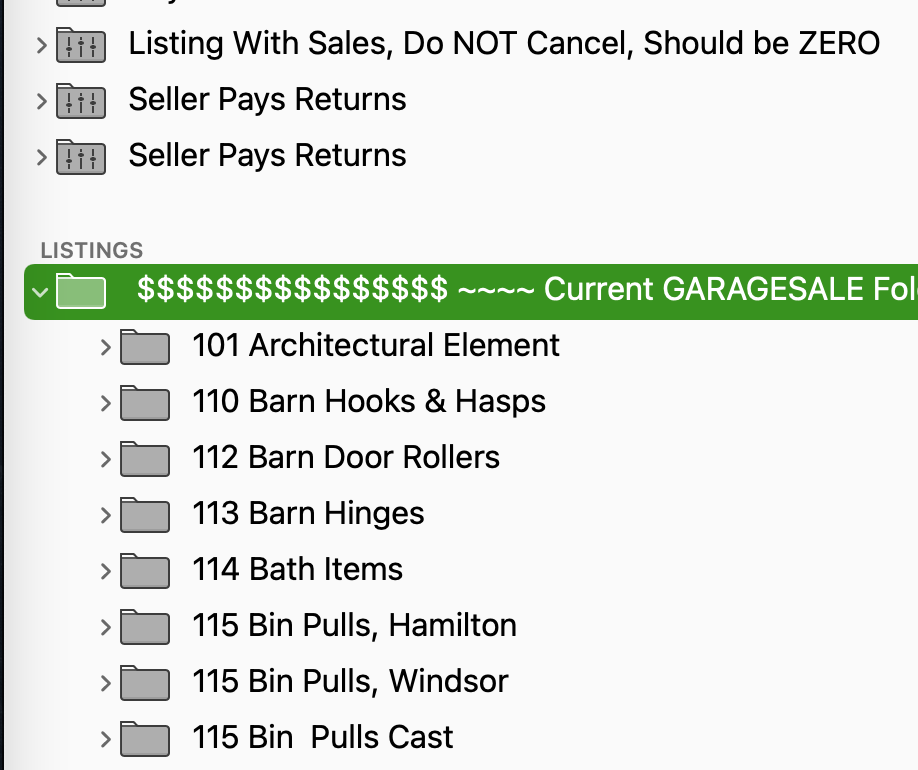
Then I have 139 sub folders within 1 folder. I wish there were a way to organize and add tabs or “shelves” as you said. Otherwise everything is a run on list. Colors would be nice? Many moons ago colors was possible… I believe.
My folder name “Shelves” is mostly to represent actual physical shelves. In my inventory app [and now GS], I use smart groups to filter items by SKU. The leading part of each inventory item’s SKU is the shelf that the item is on. Eg: BL1 and BR1 are physical shelves that contain books. This makes it quick to pull as I just need the SKU.
Having a normal folder contain smart groups is something my inventory program allows, so I tend to keep the “Shelves” folder closed most of the time, except when doing inventory. I started using smart groups in GS for the exact same shelves so I can better deal with entire zones/areas of inventory [my inventory is in 3 physical locations, though my eBay inventory is only in one]. But this allows me to do repricing based on the physical location of some of my inventory. If I notice BR1 shelf getting fuller, I might just reduce prices for items on that shelf by 8% or something.
But having those smart groups in a normal folder means I am not “forced” to see them all the time, and it means I don’t have as long of a scrolling area if I was able to keep those folders collapsed.
The “shelf by shelf” approach to using Smart Folders to cluster listings seemed like a good idea, but then I realized there was no way to gather them together usefully in my case. It turned out to be easier to leave the information (inventory location name) as a User Property in the listings, and insert the text as needed in the listing template, and on the custom packing sheets GS provides.
I realized in my case that I maintain so many containers of various items (60 bankers’ boxes, 100 magazine holders, and several “odd size or type” containers) that even a well-organized Smart Folder would involve a lot of curation for only a little benefit. And my plan is to double inventory this year, so
I recently started (but need to finish) a reverse inventory script for GS, which will let me display, save or print a list of what titles are in what locations, so I can do a seasonal check. I’ll post that when it’s working.
All that said, being able to put Smart Groups in a Normal Group together would be really really useful for many reasons, not just this one.
You reminded me of a very embarrassing issue I had long ago with another platform I also sell on - Amazon. I’ve used the same SKU system there. BUT - I need to be very, very careful about what SKUs I give the items as my SKU is revealed to the buyer.
When entering data, I sometimes would get a bit punchy and a book about someone I did not like might get a SKU that would be….colorful. And then…someone buys the book and to my horror, the e.mail that Amazon sends them, shows them my “colorful” SKU for the biography they bought, about someone they clearly want to read about, but who I clearly don’t like …..aaaah….so I learned long ago - never allow anything that a buyer can see to be present in any physical paperwork or “electronic” paperwork; and make sure my SKUs are non-judgmental in case a buyer sees them [I think Amazon no longer shows the SKU to the customer unless you use their packing slip, but “back in the day”, they would e.mail the customer a “you’ve just purchased!” message that included the seller’s SKU, along with the title of the item, price, etc.
For me the SKU/location system works with the 3 different locations of my inventory [and many, many shelves and tubs], but I can also see how it won’t work for everyone. I even do have a Location field in my inventory database, but currently just use it to show which of 3 addresses the item is located - the SKU is still the “master” location control. Perhaps one day I will change that.
In my case, I changed the packing slip definition in GS (instructions are in the manual) so that it includes the field from User Properties. It could also be changed to include the SKU if you need that. I print the packing slips as a pick list first thing in the morning.
From eBay, the list (with SKU) is available at bulk shipping under “Print pick list”, though it’s definitely not pretty
Using a custom picking slip from GS, you can include the SKU using the placeholder:
[[transaction.sku]]
I also have the ability to generate the pick slip from my inventory app which is what I usually do [I pull orders for multiple marketplaces at the same time] - exporting them to my phone where I can mark off what I’ve pulled with a tap [I don’t like to generate lots of paper, but that’s just a personal preference].
If I were the sort of ambitious person who had a little time, I might be tempted to write an AppleScript that read the SKUs (and/or other attributes) of listings from the Orders window in GS, created a new Reminders checklist called something like eBay Pick 2026-02-25 or maybe opened an existing Reminders list, and added checklist items on the list with the useful information, so I could use my phone to pick.
Would that be useful? It all seems to be in reach, I think?
 ]
]