Started manually relisting items today in small batches.
About about 3:30pm Central Time after a batch of items of listed GS switched to Live View, displayed some type of message that was far too quick to see and immediately crashed.
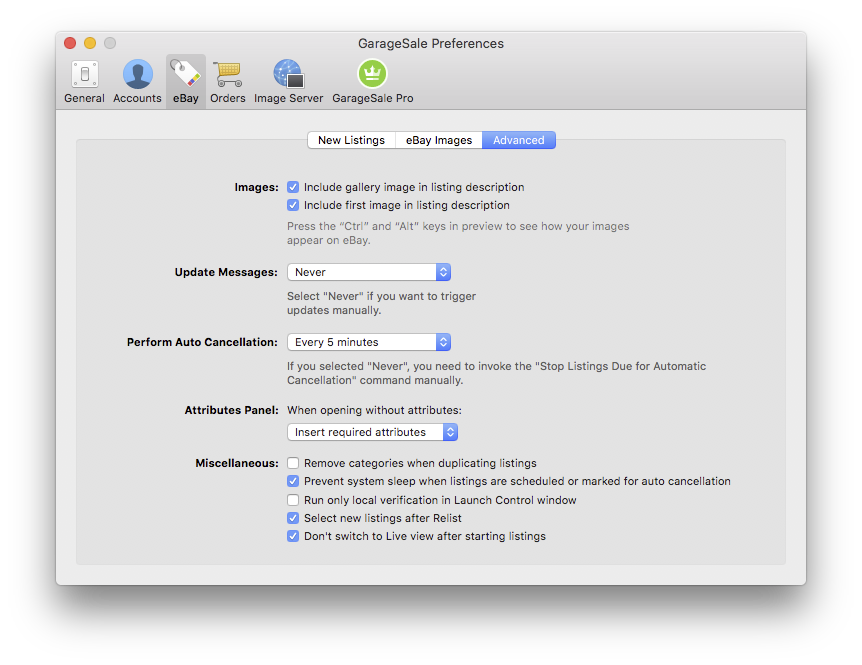
I turned off the automatic switch to Live View after listings are uploaded in the preferences.
Manually switching to Live View also immediately crashes GS.
As this process is far to quick to see the message I recorded the screen via QuickTime and forwarded frame by frame.
I previously say this thread referencing the problem:
kristian
Oct 2024
This is worth a try:
Quit GarageSale if running
Open Safari and login with your eBay account on the eBay website.
Check if you have any ad blocker installed or other Safari extension that could cause trouble.
Start GarageSale and check the Live view once again.
Quitting Safari and refreshing the Access Token appeared to fix the issue. I don’t have much use for the View Live so that would not be much of a loss, but crashing would.
Does this specifically depend on Safari technology to work or does it depend on what default browser is under the System preferences.
The default browser was set on Edge at the time of the crash. I change the default browser during the day to accomplish various automated tasks using AppleScript or Automator.
Safari is no longer updated by Apple on the Mac Pro I have GS so that could create some problems if it depends on some legacy Safari technology that eBay expects to be updated.
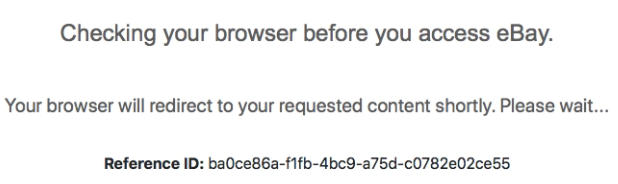
The “Checking your browser before you access eBay.” occurs on a daily basis on my GS. I reported it numerous times and it was pretty much decided to be the age of Safari or the OS. I run 12.7.6 and can’t update because of the age of my computer. I just refresh the Token and the problem goes away for 24 hours. The worst part about it is the Captcha pictures you have to choose that add 2 or 3 clicks to the process.
Interesting. I will see if it acts up after 24 hours.
Perhaps a preference could be added to GS to disable the Live View Tab (it will be grayed out so it can’t be selected with the mouse accidentally).
Selecting the “Disable Live View” checkbox would also check the “Don’t Switch to Live View after starting listings” checkbox that is indented below. Deselecting it would do the reverse and deselect the child control.
You can still independently select the “Don’t Switch to Live View after starting listings” control as long as the “Disable Live View” control is unchecked.
Text Mockup of Preference:
 []Disable Live View

    []Don’t Switch to Live View after starting listings
Live view is the only time it triggers. I can be uploading 30 listings when the notice appears on a completely different live listing and the 30 listings keep finishing the upload. I refresh the token while GS keeps relisting the 30 listings and the notice clears and I can continue looking at live listings. Annoying, yes, but GS keeps running for me.
What do you use Live View for? I keep a Safari window open [Safari version 18.4 under macOS 14.7.5] and have only used Live View for the Orders tab. Safari has eBay’s website open, and updates my active listings seconds after GS has listed them. I also have a tab open with my items for sale listed by time listed most recently. I check that a couple times a day to make sure I didn’t make some dumb typo in the title or price something way off.
EDIT: I’ve only had the checking your browser thing come up when I am on a VPN. So maybe the IP range you’re using has been flagged by eBay as having some scammy issues?
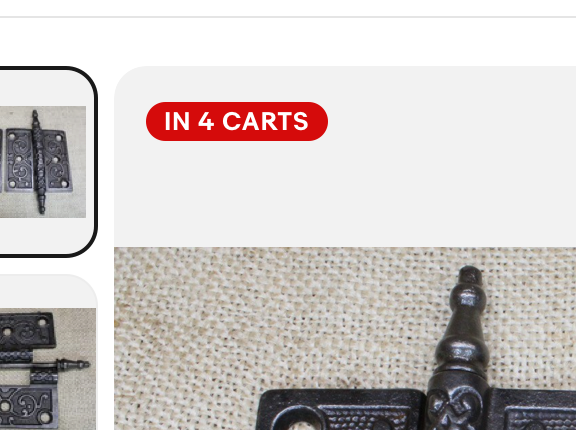
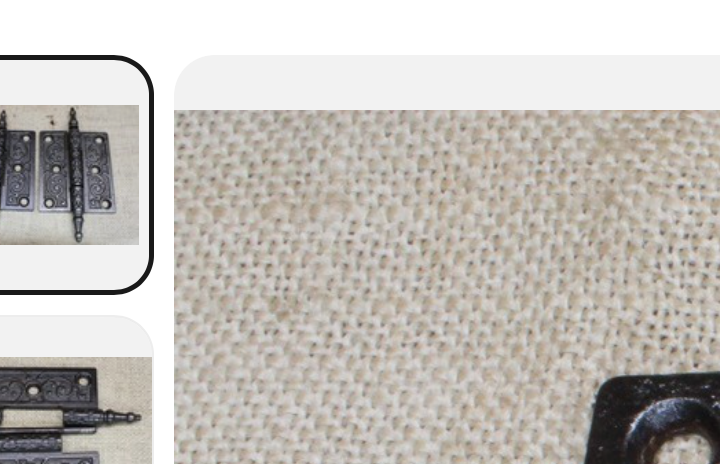
I want to see the info in the red bubble before I end a listing that I am about to restart. If an item is in someones cart I don’t end it and restart for a month. I don’t end listings just for the sake of ending it. My version of safari doesn’t show this red bubble. The second screen shot is the same listing in Safari browser.
Oh! Try this. Open a private window in safari making sure all safari extensions are disabled and see if the “in X carts” is still there. Some
Ad blockers may block that tag since it’s just a pressure trick from eBay. I’ve followed a $40,000 item on eBay that was in 100+ carts and never sold So it is a step down from watchers since watchers you can at least send offers to. Once it’s in a cart offers can’t be received.
But yeah. It might be a safari extension that’s blocking the tag. Or the lack of being logged in to eBay.
There must be a blocker some where fouling the system. Some listings do display and some don’t. But having to click out to safari and enter the title to view the listing is way too cumbersome and takes 5+ seconds vs just a click and the bubble is visible in GS
There is a direct link to the safari page that is the listing. From live mode on the first tab it shows the eBay ID and an arrow to the right icon. Clicking that opens the page in safari. Just fyi
Gotcha, yeah, that makes sense. Though at least it’s better than not seeing the button at all. The version of Safari that lives inside GS doesn’t use any Safari extensions [eg: AdGuard, 1Password, etc]. I was able to login via GS live view, and for a littlest pet shop toy thingy, I notice under my main photo a Similar Items/Sponsored area and under that Explore related items. Then the Item Specifics, and my layout/item description. That is a lot of scrolling for a customer that has no ad blocker. And kinda annoying that before a customer can see my item description, they have to scroll past ads for the exact same thing I’m selling.
But I digress - the same Safari aka UIWebView or the newer WKWebView - in GS - is the same version as the one you click on from Finder. So the only behavior changes have to do with extensions you’ve loaded on the Safari app. The GS view is basically Safari without any extensions loaded.
I am running macOS 14.7.5, which is now 2 versions behind current, and my warehouse Mac runs macOS 12 point something [the last macOS 12 version as that Mac mini can not be officially upgraded more, though in February I will be upgrading it to macOS 14 as there is an easy way to upgrade Macs that don’t officially support newer OSes. ]. I don’t use GS on that Mac, just my inventory system which syncs to my macOS 14 Mac Studio and macOS 15 laptop. Even though I run macOS 14, I do have the ability to upgrade Safari to version 26 up from 18.4 that I have installed. Sadly version 26 breaks several mission critical processes for me, so that’s a no go. But at least one can downgrade Safari versions.
Anyway - if your Mac can’t officially go past macOS 12, I can DM you a link to a very, very easy and reliable way to update the Mac. If you think that will solve your issue.
 So it is a step down from watchers since watchers you can at least send offers to. Once it’s in a cart offers can’t be received.
 The version of Safari that lives inside GS doesn’t use any Safari extensions [eg: AdGuard, 1Password, etc]. I was able to login via GS live view, and for a littlest pet shop toy thingy, I notice under my main photo a Similar Items/Sponsored area and under that Explore related items. Then the Item Specifics, and my layout/item description. That is a lot of scrolling for a customer that has no ad blocker.
  ]. I don’t use GS on that Mac, just my inventory system which syncs to my macOS 14 Mac Studio and macOS 15 laptop. Even though I run macOS 14, I do have the ability to upgrade Safari to version 26 up from 18.4 that I have installed. Sadly version 26 breaks several mission critical processes for me, so that’s a no go. But at least one can downgrade Safari versions.