Just read the text in the image given? (I don’t need a description of the item in the title itself, just read the text)
Give rules to format the title?. So let’s say you are listing a book or a CD, put Publisher/Label first, Author/Artist second, Title 3rd, Edition 4th (etc)
Can we remove the ability to add an AI description entirely? I just clicked it off 100 times for some auctions. Maybe I missed a setting to just do that from the start, seems a waste of resources for people like me who do their own descriptions.
AI tokens: I used all 100 in one batch. When adding more can you purchase as many as you like? The wording on the purchase of 1000 tokens is a bit confusing, can you just ‘top up’ and make a purchase one after another 5 times to have 50,000 tokens? is it limited to per month? (I have Garagesale pro)
I had about a 95% hit rate with it getting the items correct (media related) so it’s very useful as I handle thousands of items and typing out titles is the most time consuming/mundane part.
So far, there is no way to do this but maybe it’s something that we can add, e.g. “user rules”. We just have to make sure no one messes around with it.
Maybe we can tell GarageSale to remember the most recent settings. This way once you unselect the item description checkbox, it will stay unselected the next time you open the AI listing generator.
Don’t worry, there is no limit how many AI tokens you can purchase. Feel free to purchase as many as you like. Do you think we need to offer an additional buy option for e.g. 10,000 tokens?
Thanks for the info! I can probably come up with a method to automate export–>reformat titles–>re-import, and the description thing could just have a ‘select all’, or multi select with shift-click option.
Token amount is fine, I think most people won’t use a thousand, but for someone like me who has backstock of thousands of items to catalogue over time it’s good to know there’s not limitations and can be purchased in batches…
In GarageSale 10.2 the checkboxes for listing details can now be pre-selected for all listings prior to generation start. (The values will be generated anyways.)
Also, once results have arrived, holding down option key toggles checkboxes for all processed listings. So, if you decide to e.g. turn the “Listing Description” back on in the results view for all listings at once, there is now a way to do this without clicking the chebox in each listing separately.
We will think about your “user rules” prompt request.
I think for something like user rules in the future it could also work maybe just taking the information from the item specifics it fills. You get to then select which you want to add/remove/change order of in the title. This could be done afterwards once the listing has been made with AI, so just an in-app formatting tool rather than setting AI rules, so to speak..
Perhaps something like this can already be accomplished with a simple script. You would have to run this script every time an AI-generated listing is created. However, this will only work properly if the required attributes are included in the listing.
There is already a script available that creates a title based on specific attributes (Brand, Size, Colour). Feel free to try it out so you get a general idea how it works. You find it here:
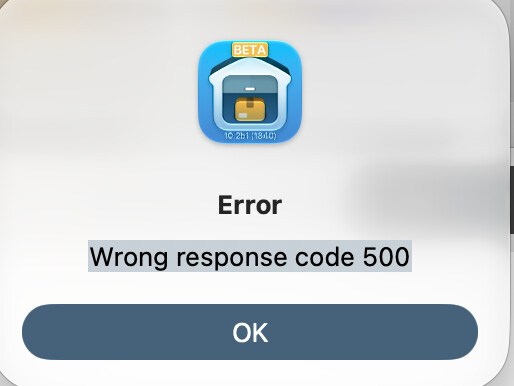
there’s a bug that happens in GS 10.2b where if you select a few listings to run batch AI generation it will crash half way through. You lose the tokens that you spent with no result.
Tested a few times with maybe 5-10 batch listings (I have enough tokens to test). I once got this error as well.
Sometimes it would work, sometimes not. So it’s inconsistent.
1 listing at a time doesn’t seem to have an issue.
I now have the AI fully automated using a combination of scripts which only process 1 listing at a time without clicking anything, so unlikely this affects me personally, but if people lose their tokens with no results that could be an issue.
I did run larger batches initially on 10.1 with no issue.
Some of my attributes are too long for ebay’s character limit requirements, so that’s a possible area to look at.
or maybe it’s just too many server requests at that time, but then the app closes out, so likely not?
How many images per listing do you selecte for usual in the AI Generator window? (by default only the first image is selected, if I am not mistaken)
Also, how many listings (roughly) do you use for batch AI generation?
these only had 1 image, and was testing on no more than 10 at a time. After the first crash I lowered it to aprx 5, that worked a few times until it didn’t.