FTP login count for Launch Control vs Scheduler

I’ve been having some troubles recently with launching listings using the Scheduler, as opposed to launching them with the Launch Control system.

I know the technical cause of the problem, which I have no easy way to fix: my ftp image server at pair.com really doesn’t like it when there are 100+ ftp logins from one account when I schedule a bunch of listings to launch. Or maybe it doesn’t like it when a single ftp session is left open for an hour. I don’t actually know which. I have no control over these security settings on the server, which is a cheap but reliable commercial hosting company I trust.

The symptom is that when I use the Scheduler, after 40+ listings, I almost always start to get ftp access forbidden responses from the server. These last for a while (about the length of time you’d expect a “cool down” setting to run, like 10 minutes) and then things work fine after that until we hit the wall again.

The bad consequence of this symptom is that these are image upload failures to my server, which do not actually stop the listing from being launched on eBay (since I use their service as well). So every time a listing is marked in GS as "failed” it is in fact running on eBay, and I have manually find it, kill the running version, and then re-launch each one manually.

The thing I’m wondering about is: this never seems to happen with Launch Control. Now I admit I do not often use Launch Control with a delay turned on between launches. That (and the ability to delay until later) is what I want to use Scheduler for.

GarageSale has honestly always had this problem with my ftp server, and I’ve learned to work around it (mainly by using the Launch Control more). But I really do want to start using Scheduler for night-time listing starts, and I can’t seem to trust it.

As an example, I just now launched 219 listings in LC with no hesitations or errors reported. Last night I tried to launch 100 with Scheduler, and ten of them (it always seems to be multiples of ten?!) failed to upload an image, and were therefore marked in GS as being “failed”. First thing this morning I had to search them out manually in eBay and kill them, because of course the eBay version was not present in GS, and I do not want to download them from eBay and lose all the technical information I store in the User Properties, or the original images saved in GS.

The thing I wonder is: Are LC and Scheduler using the same dynamics for uploading images? They behave so differently that it almost feels like a symptom. Even if I turn off “use multiple threads” in LC, and launch 100 listings consecutively in LC and Scheduler, I can be 90% sure the Scheduler ones will include some failures.

Caveat: yes, of course, I could use GarageSale Image Service. But I don’t? I do keep some old-fashioned web counter analytics running on my personal server that GS doesn’t provide.

Later Also, I wonder if maybe a bug fix (from my perspective) would simply be to stop marking GS listings as errors when they fail to upload images to my personal ftp server, but do upload correctly to eBay. eBay image service is a good fail-over for my personal server, and I rarely have more than 10-12 images for a listing.

The ideal business logic seems like it would be more like “If ftp upload fails but the same image uploaded to eBay, it’s fine, carry on but warn the user. If ftp upload fails and eBay upload fails, cancel the launch (don’t launch this listing on eBay!) and also produce an error.”

The next-most-ideal would be “If any image upload fails, do not launch the listing on eBay even if you have to cancel it afterwards.”

I use scheduler every day to launch 30 relists. AND every day 2-3 have a “Could not upload” notices. However, I do use GS Image service. I wonder if it isn’t ebay throwing the failure to upload flag? 1-2 hours later I click start on the failures and they go right up.

Unrelated to the original issue, but how do you use schedule for re-listings? I would love that so much.

FWIW, I use my own WebDAV server with scheduler. As long as Backblaze is not running, I do not get any timeout errors. If I do have BB running, then I do get errors because I am on a super slow DSL connection with very, very limited upload bandwidth. That said, I do not have the same issue as the OP. When the scheduler says something hasn’t uploaded, the listing really is not on eBay.

I end them manually in batches of 30, look for any changes I want in prices, titles, and descriptions. I schedule them for relist/start with the scheduler later at night.

For me GS does not allow that. I have just stopped 6 listings. Normally I would hit the relist button and then in the morning [tomorrow], I would click on the start button to start the re-listing process.

With the 6 items highlighted, I can not drag them to a scheduled time tomorrow. My only option is to use the … button, select Relist, and the Launch Control window pops up, verifies the items, and then tomorrow morning I have to manually hit the “relist listings” button. A few months ago I actually requested the scheduler being able to be used to schedule re-listings. Perhaps that is part of the a newer version? Sigh. I really need to update. I’m on 9.9.2.

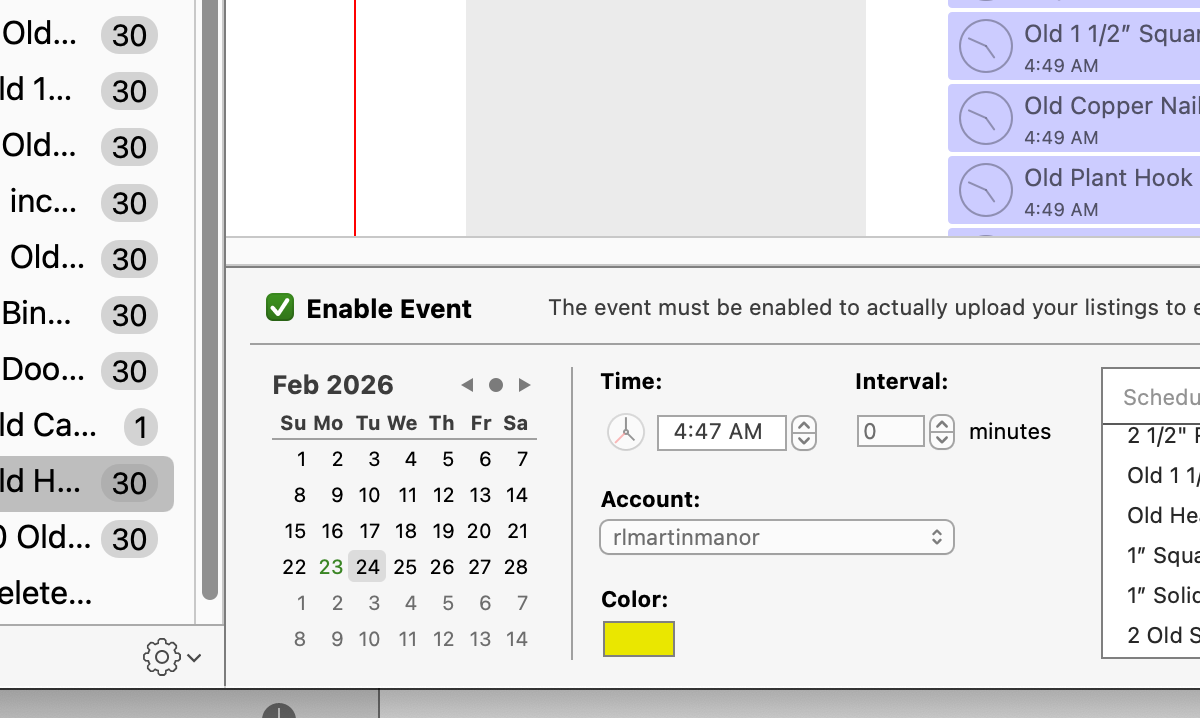
No, I have been using 9.9.2 . Right click on the listings you want to schedule, pick “new event from the dropdown list (however many listings you selected), And the scheduler pops up. Pick your time to start later, click enable event in the checkbox, And you are ready to go, Hoping of course you get no duplicates!:wink:

To clarify, I stop listings every day and start them again with either Launch Control or the Scheduler. I do not use the “re-list” function from eBay, because I don’t find it attracts attention from people reading the “new” feed.

The re-list feature of GS and eBay does in fact give the item a “new listing” tag for 24 hours after the item is re-listed, just like a fresh listing does. Just FYI. :slight_smile:

2 Likes

I would need to source some planning and follow-through skills from somewhere before I could do that.

Now that is confusing! I did a relist and it has a NEW tag. I did a scheduled listing and it got a NEW listing tag.

1 Like

Perhaps ebay is on to our relisting/restarting scheme?

Yeah, a proper “re-list” will always generate the “new listing” tag, as eBay considers it a new listing. It is still linked to the prior eBay listing ID though [it has a new one, but there’s an internal link to the old one]. So a re-listing, for example, will not show up on your store’s list of items when sorted by newly listed on the eBay website.

But to be extra confusing, when saving a search for a seller’s store, based on newly listed items, re-listed items do show up for that search [due to the “new listing” tag.

But yeah, that’s why re-listing is the “proper” way [according to eBay documentation] to list an item that hasn’t sold. Most people just do a stop, then re-list within the same breath. I have found that waiting till the next business day [eBay time - pacific timezone here in the US, even though I’m in the eastern time zone], triggers more sales due to giving eBay time to send messages to “interested buyers” that something has been re-listed [it also sends a message when the item is no longer for sale, so having an 8+ hour delay for the customer in getting “hey the seller is no longer selling this item, but here are some others” message and a “hey, the seller has re-listed this”, to me, gets a bit more sales than just doing the re-list immediately after stopping it.

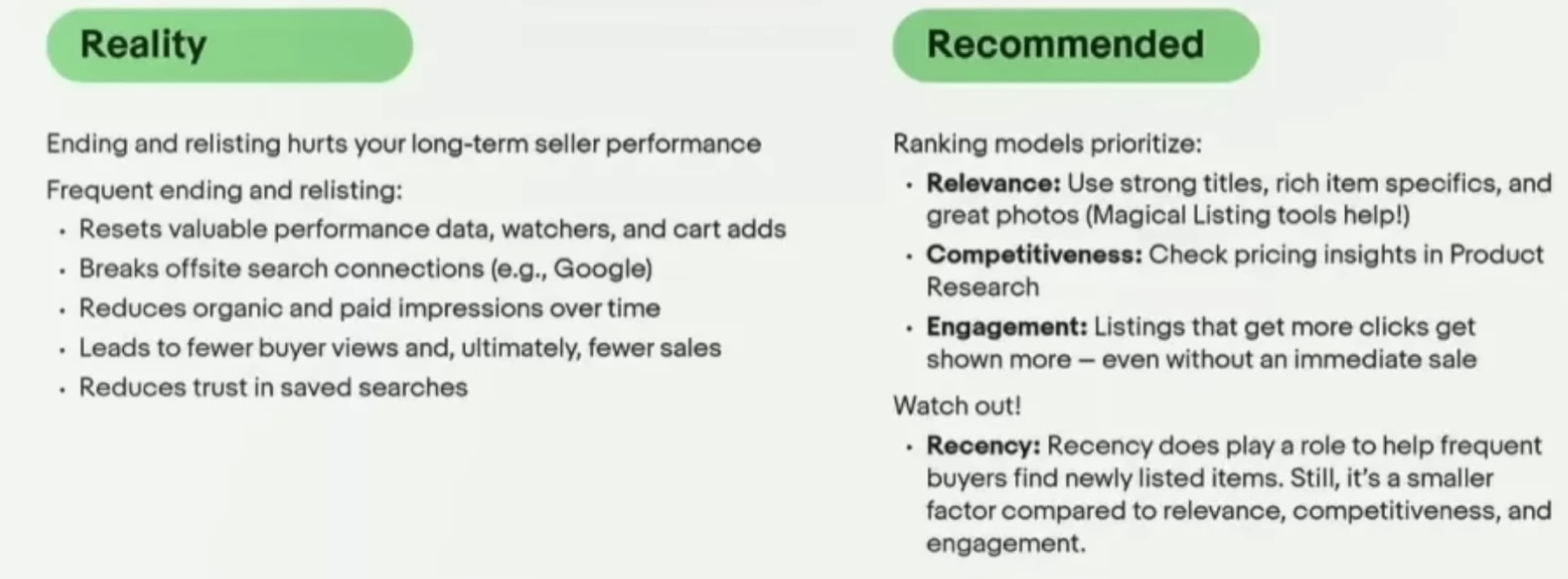
eBay has discouraged re-listing [and stopping and starting a new duplicate listing, which….] due to the fact that a re-list does get a new eBay ID which means off site searches don’t work until a search engine has re-indexed the item. But I’ve still found that re-listing properly results in sales as if the item was newly listed [in fact, more so]. This video from a few months ago is interesting: https://www.youtube.com/watch?v=3fBNq5Zg_V8

2 Likes

Good vid. He confirms everything I do. I spent the last year adding very few new listings(200 maybe) and just ending/restarting as new. My sales went down 5% and I have cleared out a ton of dead listings that ebay has been not showing but allowing me to have on. My strategy is nothing over 30 days old, EXCEPT if it has sales and then relist as new after no NEW sales for 30 days. I have 1 year old listings that are getting new sales ever week or so so they are GOLD and never get ended/relisted until ebay stops showing and no new sales for 30 days. You can see very quickly when ebay stops showing those regular sellers so they get ended and relisted

I’m willing to give it a try.

Do we know if there is an expiration time for relisting? That is, I should wait 24+ hours, but if I wait 96 (or N > 96) hours is it still doable?

I end 30 listings once a day, edit them and schedule to restart in 48 hours for good measure. Everyday I do 30 that have 1 watcher or less. If I don’t have enough to make 30, I end listings 59 days old or less. I have nothing right now over 40 days except listings with sales.

1 Like

I had this data, and no longer do. :frowning: But I think it’s a few months? Probably, educated guess, 90 days, since eBay really likes to use 90 days for so many things. I had some seasonal stuff I stopped and a month or 2 later, I was still able to do a proper re-list. But 6 months later….I had to start the listing as if it were new.

I mean to ask: if I stop a listing, wait several days, and then try Officially eBay-style Relist (not Launch it as if new), is there a deadline after which I can’t Relist?

I wish they had named these better.

I believe that deadline is 90 days, from the experience I have had with seasonal items.

1 Like

I just tried one ended Oct 20 2025 and one from Dec 14 was prevented from relisting them both. Sorry, I misunderstood your previous question

1 Like