The following post was closed so I am posting:
You may need to change the name of “GarageSale 9.8.1” in the scripts below to whatever its name don your computer. I save different versions of GS on my computer with their version numbers rather than overwriting the previous version thus the need to specifically use “GarageSale 9.8.1” in the scripts.
Open this script in a new Script Editor window.
Open GarageSale.
Open the GarageSale Launch Control and leave it open. Move it to where you want it displayed when opened.
Run script.
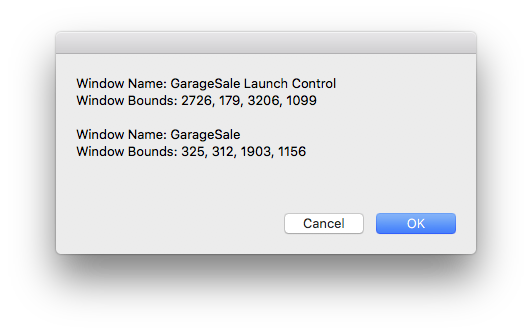
Script will display a dialog containing the window bounds of all open GS windows.
Write down the numbers for the GarageSale Launch Control.
In this case I had GS running on my left screen and after opening the GarageSale Launch Control window I moved it to my right screen and then ran the script.
set dimensionsList to {}
tell application "GarageSale 9.8.1"
	set windowList to every window
	repeat with win in windowList
		tell application "System Events"
			tell application process "GarageSale 9.8.1"
				set tabName to name of win
				set windowPosition to the bounds of win
				set lastBound to item 4 of windowPosition as text
				set boundList to ""
				repeat with a in windowPosition
					set thisBound to a as text
					if thisBound is not equal to lastBound then
						set boundList to boundList & thisBound & ", " as text
					else
						set boundList to boundList & thisBound as text
					end if
				end repeat
				set end of dimensionsList to {tabName, boundList}
			end tell
		end tell
	end repeat

	set dialogText to ""
	repeat with b in dimensionsList
		set windowName to item 1 of b as rich text
		set windowBounds to item 2 of b as rich text
		set dialogText to dialogText & "Window Name: " & windowName & return & "Window Bounds: " & windowBounds & return & return
	end repeat

	display dialog dialogText buttons {"Cancel", "OK"} default button "OK"
end tell
Now open a new Script editor window and change the four window bounds numbers to the numbers you previously written down.
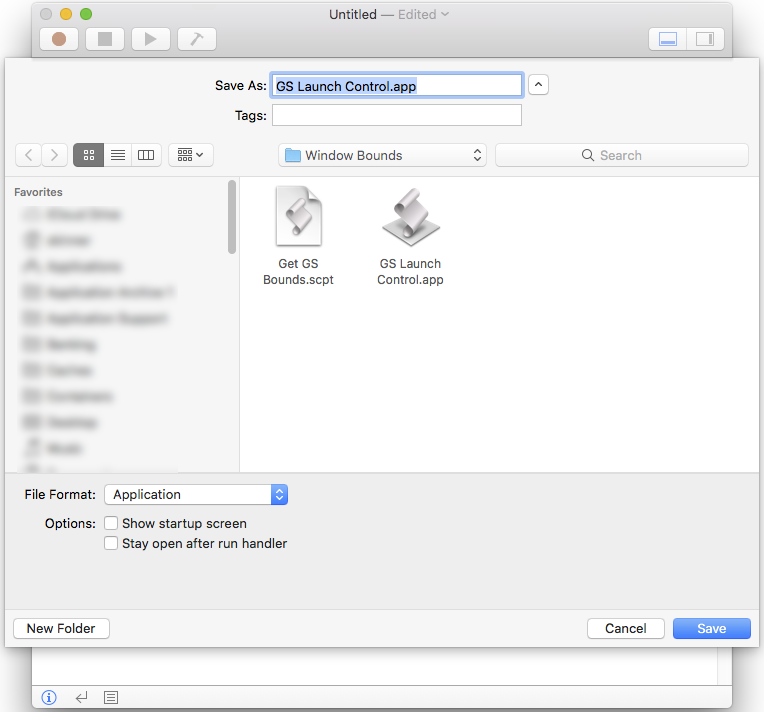
Save this script as a application. Be sure to check the “Stay open after run handler” checkbox. I saved it as “GS Launch Control.app” in a folder of scripts I use for GS, but you can save it in another place such as your applications folder and name it what you want to.
on idle
	tell application "GarageSale 9.8.1"
		try
			set bounds of window "GarageSale Launch Control" to {2020, 60, 2500, 980}
		end try
	end tell
	delay 5
	return 5
end idle
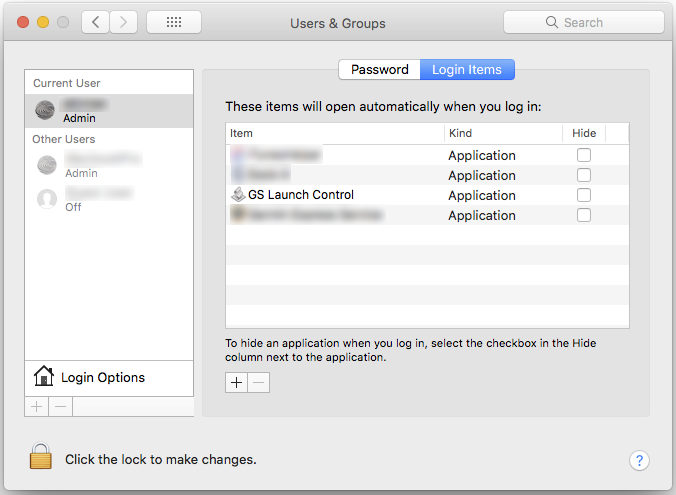
Now add this application as a Login Item on your Macintosh.
On this older Macintosh I select System Preferences > Users & Groups > Current User Name
Switch to Login Items tab under user.
Add this application as new Login Item. On this Mac you need to click the padlock, enter your user password and then click the “+” button to navigate to this app so it can be added to the list.
Now log out of your user account and log back in.
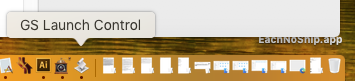
This app will now start up automatically upon logging into your account and display a generic icon in the dock (from which you can quit the app).
Currently GS will remembers the last opened position of the GarageSale Launch Control window for each screen separately. So if you have GS on the left screen it will open GarageSale Launch Control to the last position is was closed on the left screen. If you then move the GarageSale Launch Control window to the right screen and close it that sets a preference for the right screen and not the left as when you restart GS on the left screen the GarageSale Launch Control window will appear on the left screen and not the position you just closed it at on the right screen.
This app will reposition the GarageSale Launch Control window to your favored spot in 5 second cycles. GS will still continue to open the GarageSale Launch Control window on the left or right screen as before, depending upon what screen you launch GS from, but it will now be repositioned to your favorite position. This will allow you for instance to run the GS main window on the left screen while having the GarageSale Launch Control window on the right screen.
You can change the 5 second count to less in the script where as each whole number equals a second, thus 3 equals 3 seconds.