Dear GarageSale Users,
The first public beta version of GarageSale 10 is available for download from this URL:
https://downloads.iwascoding.com/downloads/GarageSale_10.0b1.dmg
What’s new in GarageSale 10
-
simplified timed listing starts with Scheduler Groups: add time ranges to any group in Listing mode to upload the listing it contains
-
a new AI Listing Generator will generate listing descriptions and attributes, and pick categories from your item images (may require additional purchase of image tokens
-
improved smart group update performance, resulting in fewer sporadic beach balling
-
outline view groups show the count of all contained items, instead of only showing the count of items on the first level
-
improved performance when control-clicking group with lots of children in outline view
-
Updated icons and artwork throughout user interface
-
listings in the outline view can be sorted by price, category and store category
-
improved Reports section
-
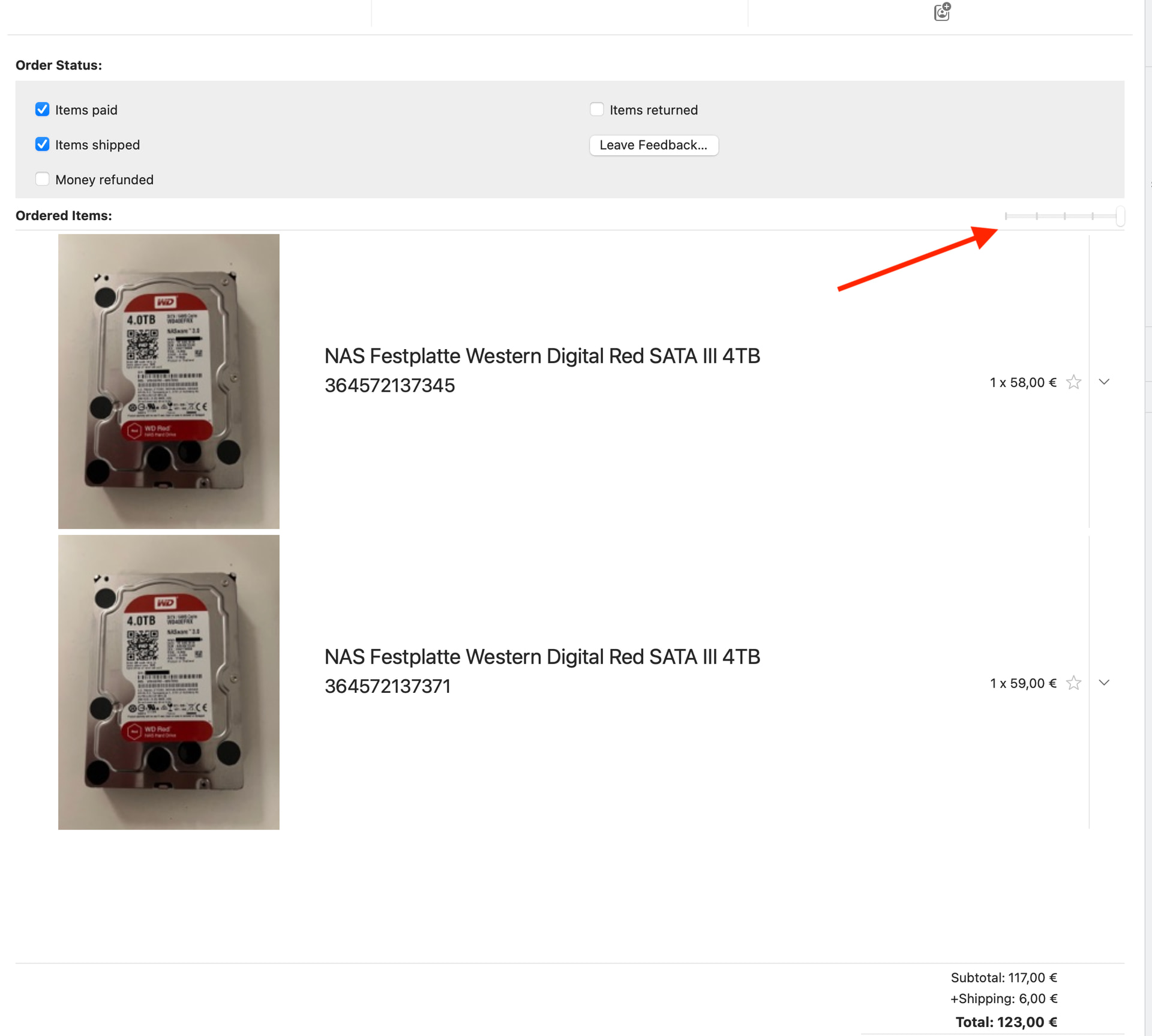
Order Mode: Added 4 new packing slip templates
-
Product Safety Popover: “responsible persons” can be exported, imported, duplicated and sorted
-
Diagnostic panel: added option to remove orphaned images files (please make sure to have a current backup of your GarageSale library before use this option)
Upgrade costs
- free for GarageSale Pro Subscribers
- upgrade for regular users stays at $19.99, but is not on sale yet
- beta version accepts GarageSale 9 licenses for now
System Requirements
- MacOS 12.0 or later (macOS 15 or newer recommended, earlier versions may work but are not supported)
Read before installing this beta version
Database Upgrade
Early beta of GarageSale will use the same database as GarageSale 9 to allow for switching back and forth between versions. At some point before the final release, we will switch GS 10 to work on it’s own copy of your database.
Notes for GS Pro Synching Users
GarageSale 10 contains new data fields, which the synching module in GS 9 does not know about. Therefore when using GarageSale 10 with synching enabled, your synching data will be upgraded to a new schema version, making it no longer accessible to GarageSale 9.
New Features
Scheduled Groups
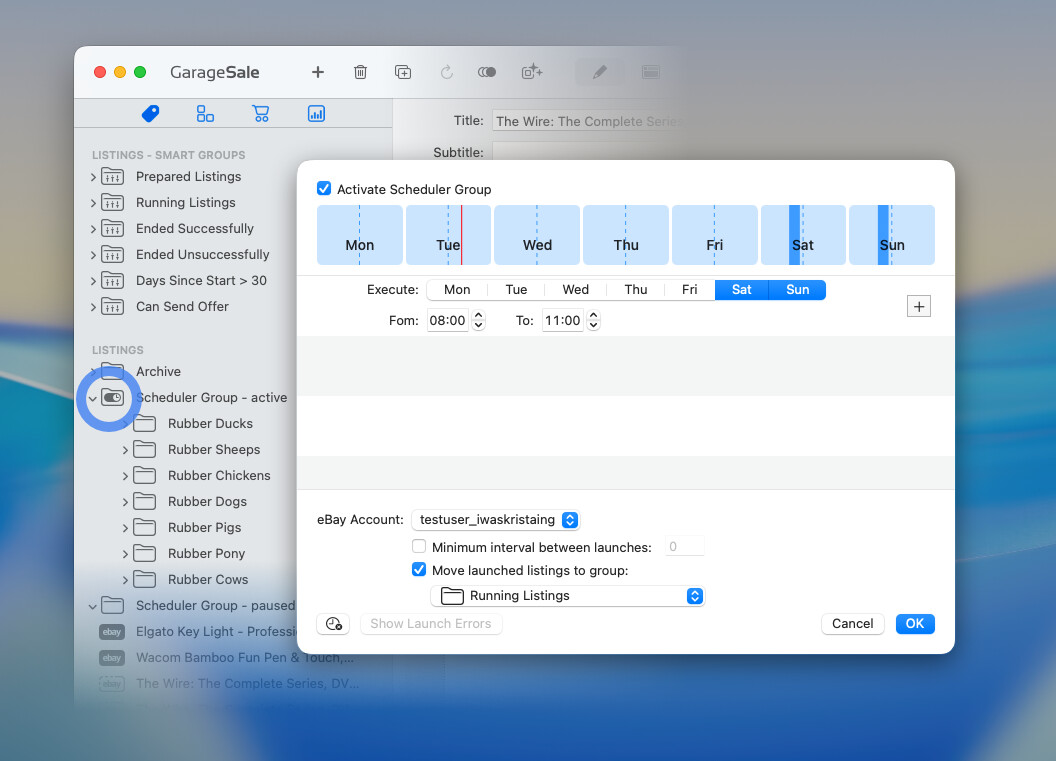
Control-clicking any regular group in the Listings section lets you add a new upload schedule to it, or edit an existing schedule.
Each minute, GarageSale will try to upload unscheduled listings in your scheduled groups, if the scheduled group has a time window matching the current time
AI Listing Generator
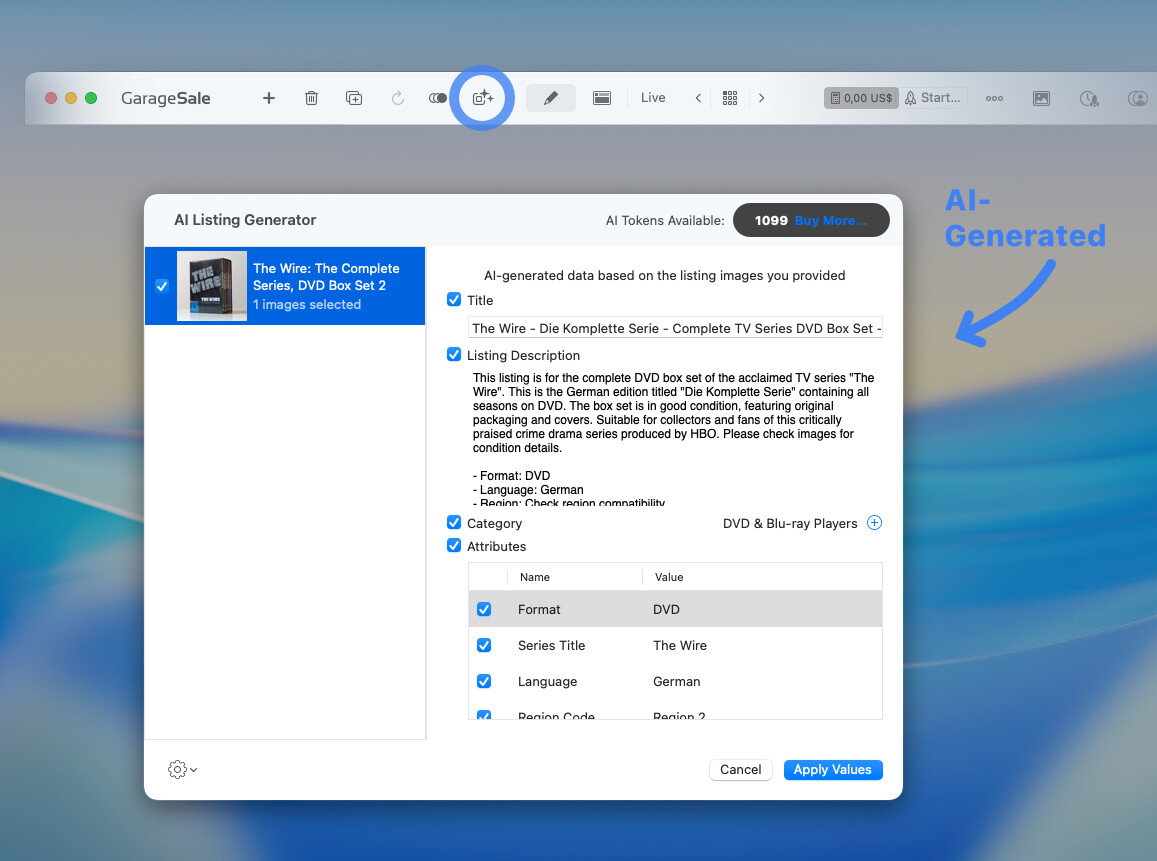
Every image sent to the AI for analyzation will cost an image recognition token.
100 images tokens per month are included with the GarageSale Pro subscription. These tokens are non-accumulating and will expire at the end of your subscription period and will not roll-over to the next month.
Regular GarageSale license holders will receive 10 images tokens.
All users can purchase 1000 additional non-expiring images tokens for $/€10.
Thanks for using GarageSale,
Kristian, Paul, and Ilja
 sounds like a big change…. will try soon the AI generator.